ZestUp Total Online System

Your own ordering website, mobile apps and a command centre that runs the whole operation.

A branded online-ordering platform for food businesses: a web storefront, Android and iOS apps for customers and riders, a point-of-sale till and an admin console for orders, menu, promotions, staff and reports.

Web storefront Admin console (web) Customer app — Android & iOS Rider app — Android & iOS
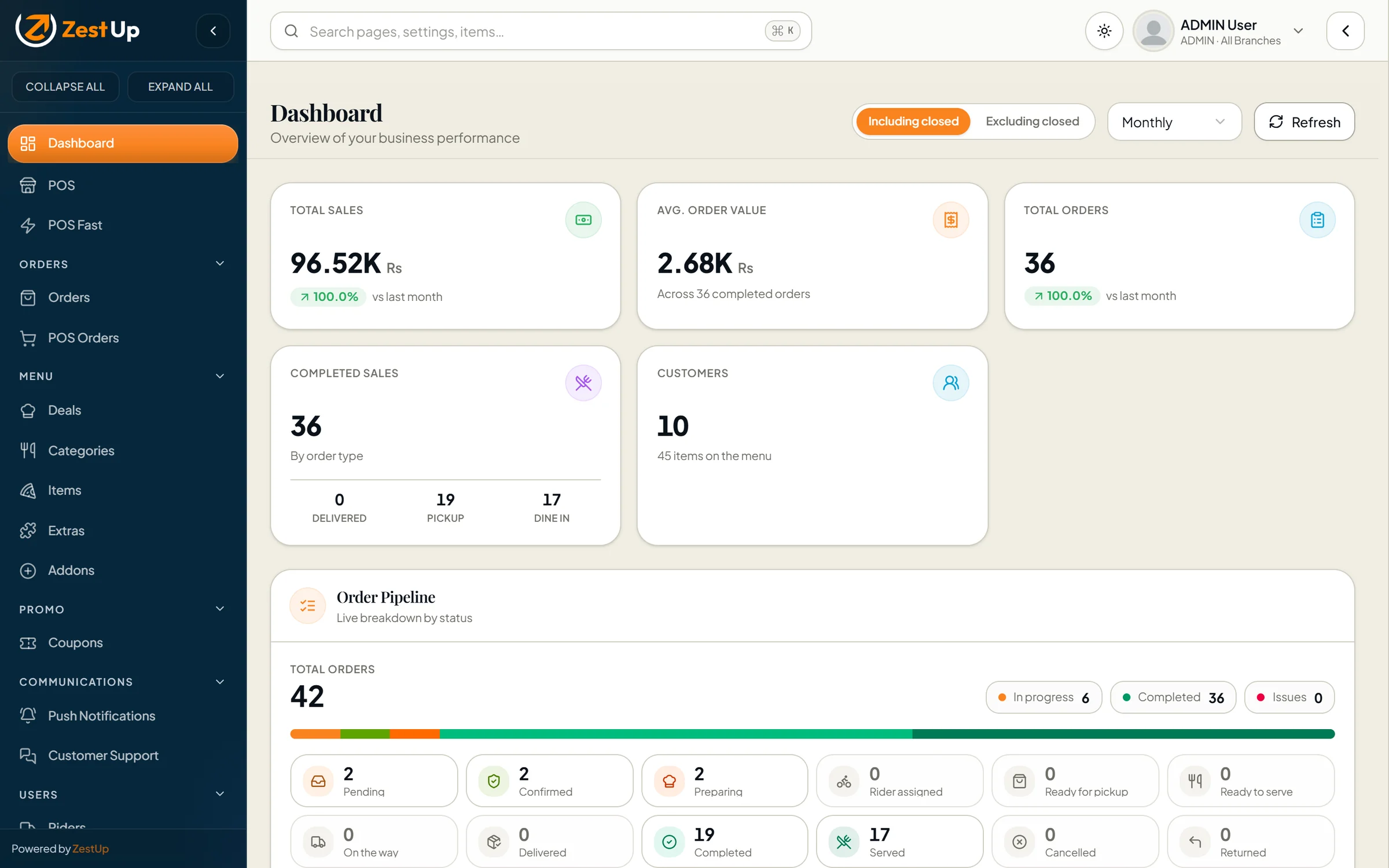
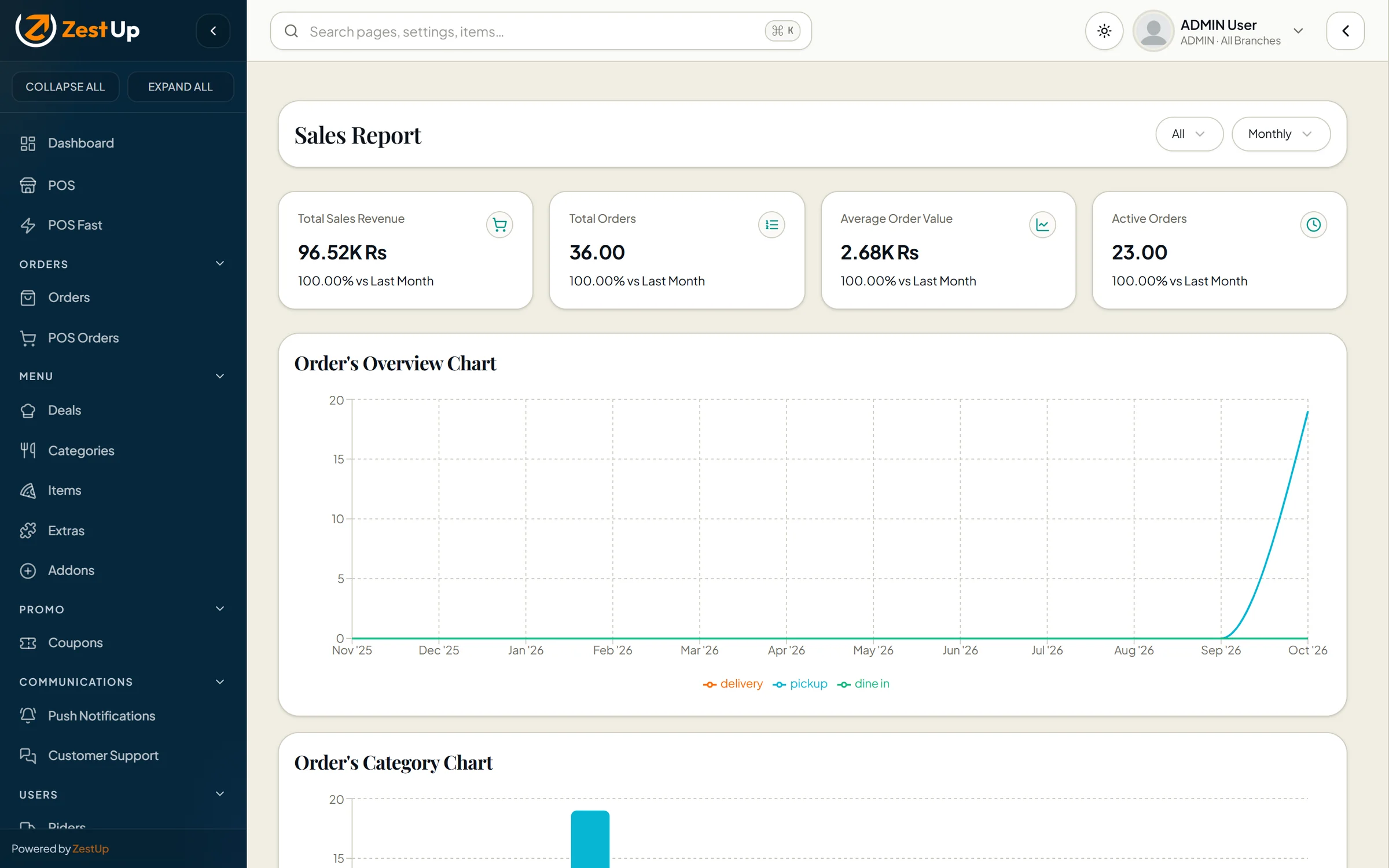
Total Online admin dashboard with sales, average order value, orders, customers and the live order pipeline Real screen · demo data
What it is

In one paragraph.

Total Online gives a restaurant its own digital storefront instead of renting space on a marketplace. Guests order for delivery, pick-up or dine-in from your website or app; every order lands in one console where your team confirms, prepares and dispatches it through clear, timestamped stages. The same console runs your menu (variants, add-ons, deals and per-branch availability), your counter till, your coupons, your riders and your team’s permissions — and it is deployed for you, under your brand.

01Branded web storefront plus Android & iOS customer apps
02Delivery, pick-up and dine-in with per-type order flows
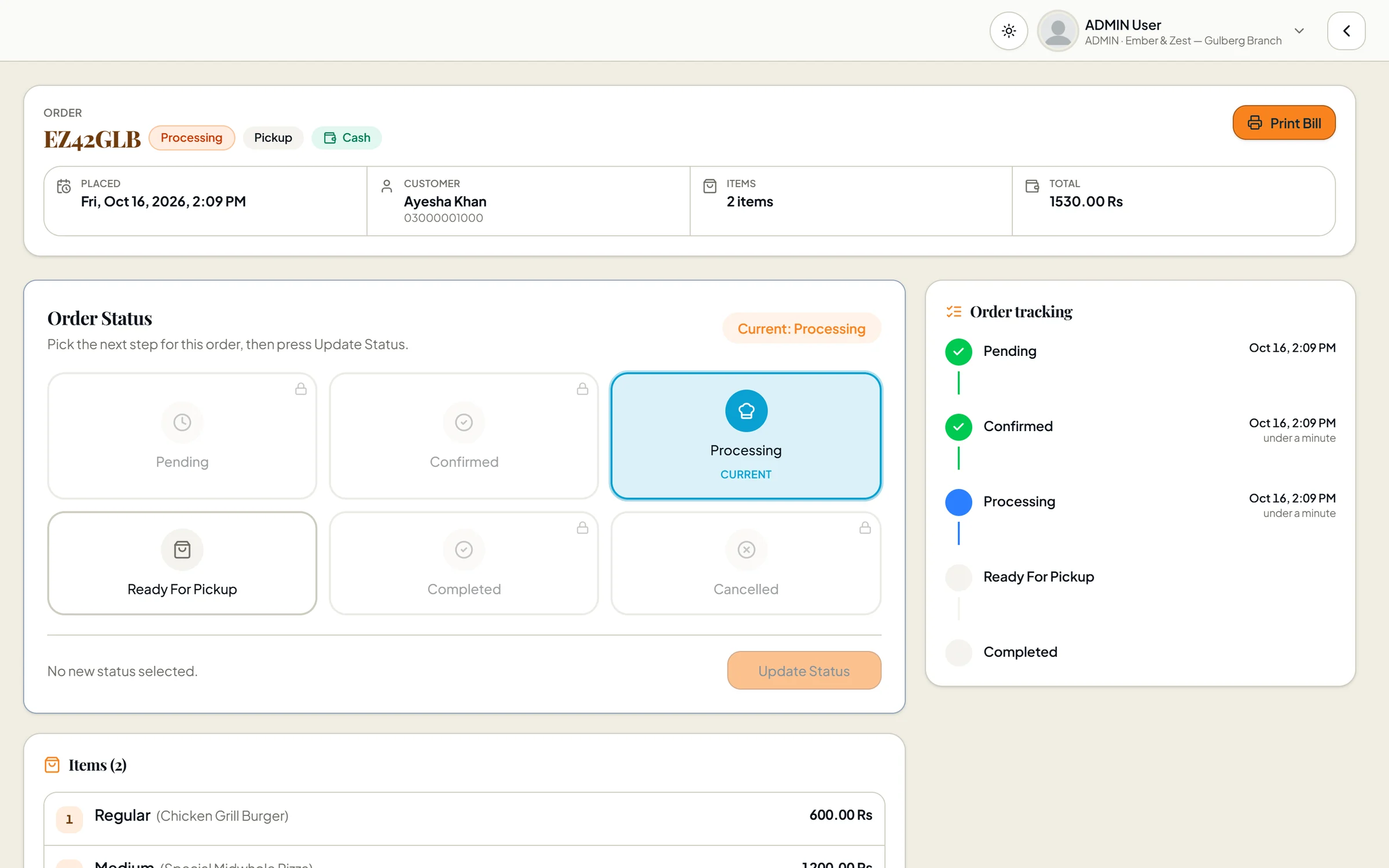
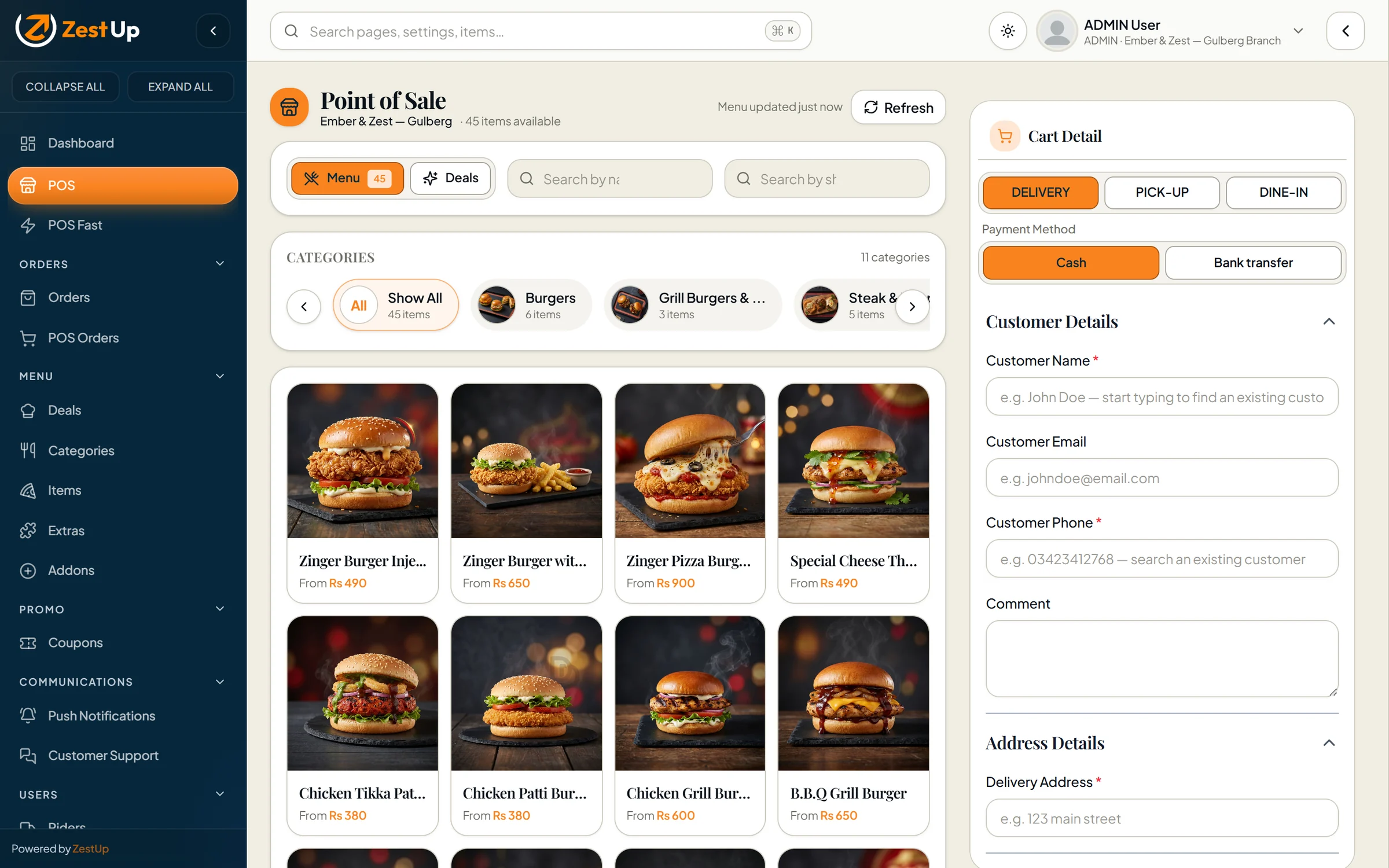
03Point-of-sale till and a guided “POS Fast” mode
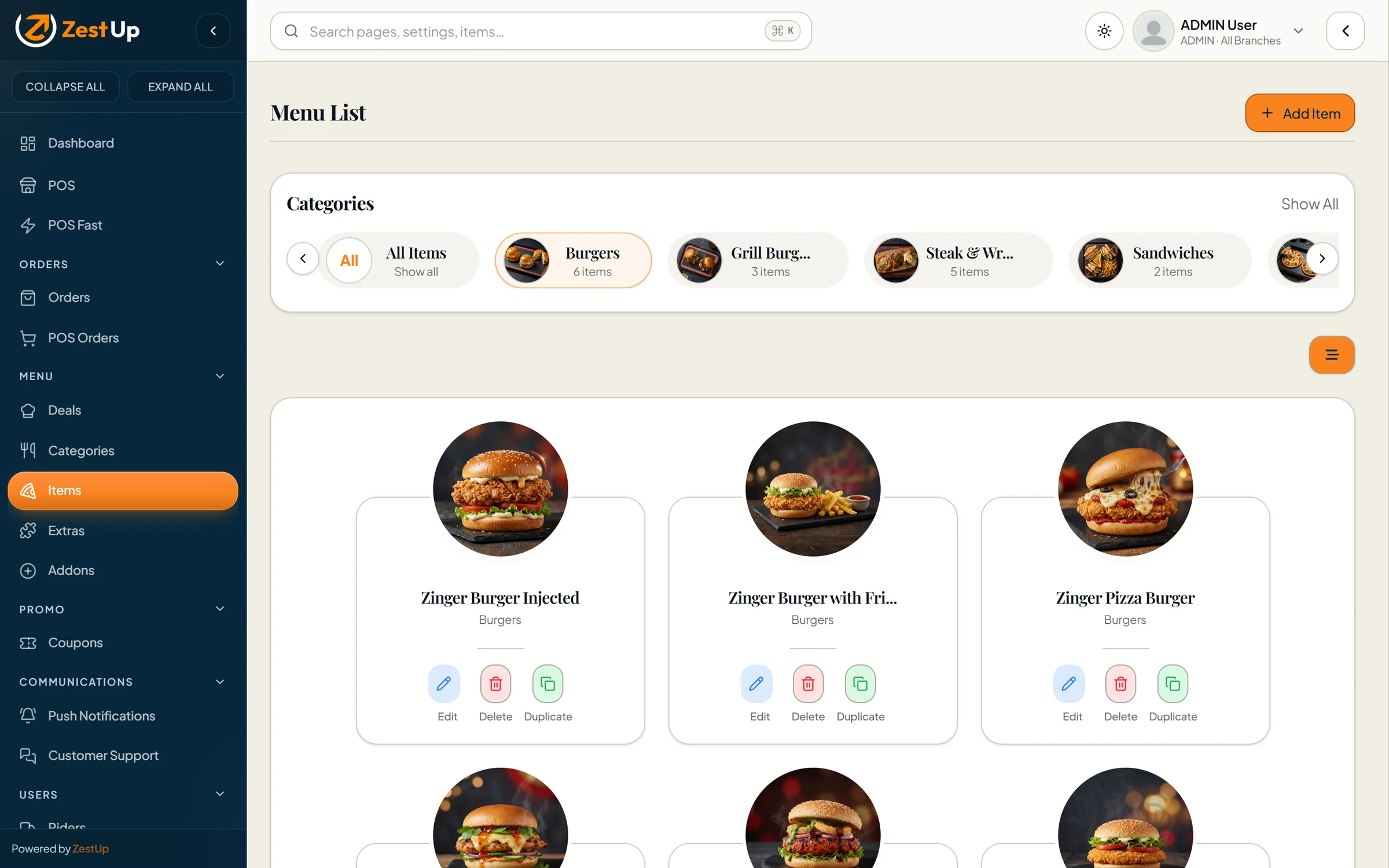
04Menu with variants, add-ons, extras, deals and branch availability
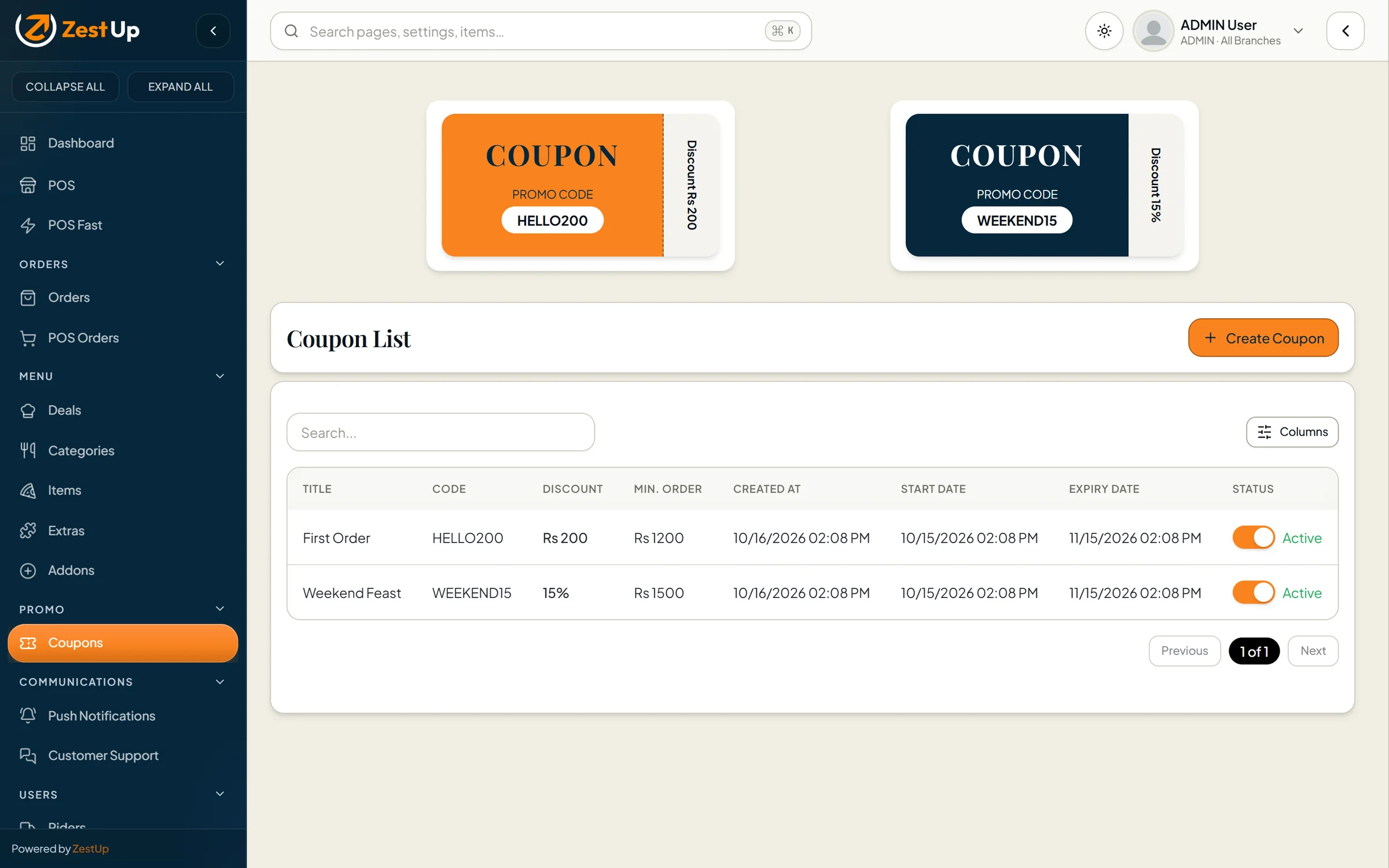
05Coupons, banners and promotional posters
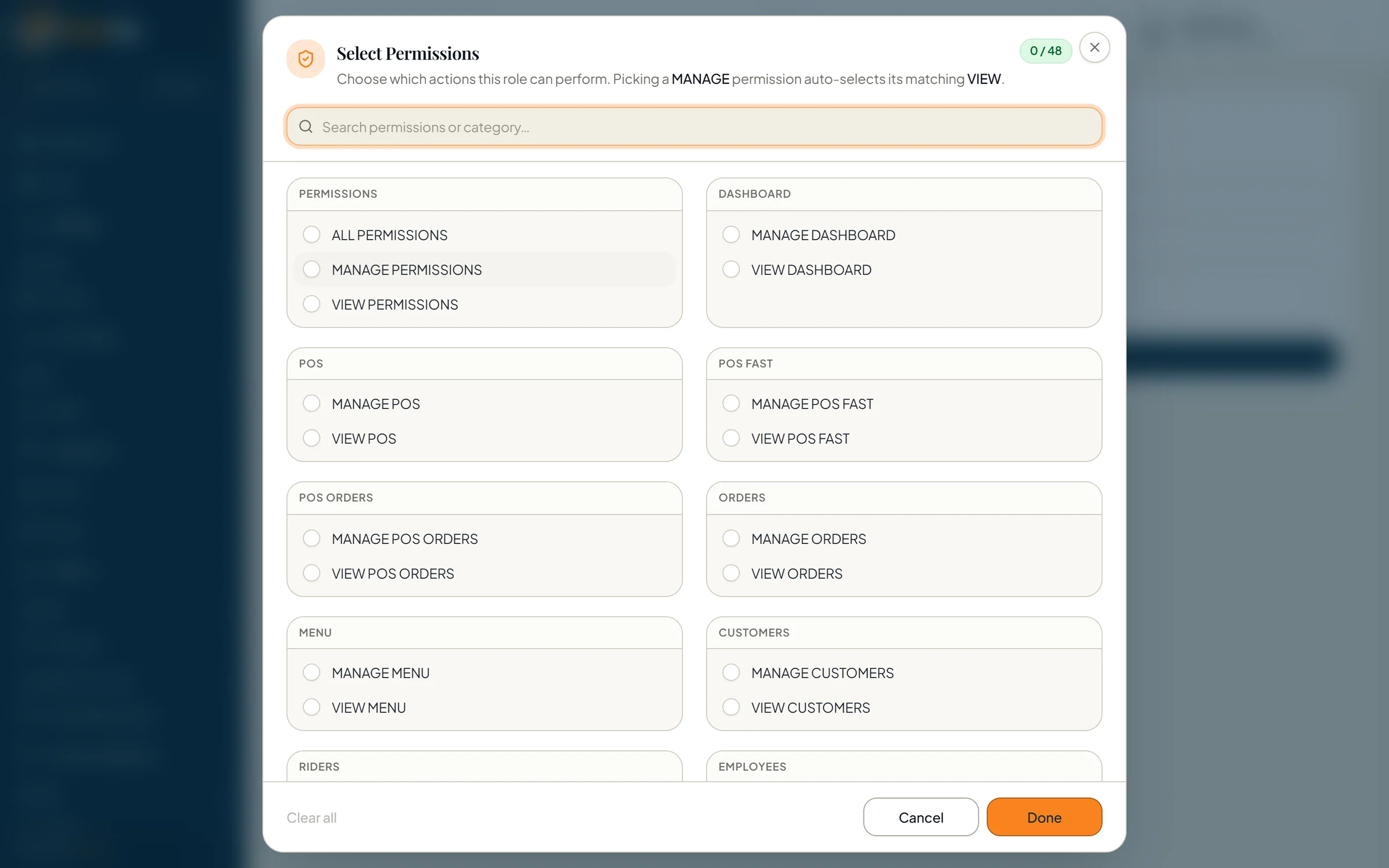
06Riders, staff and 48 granular permissions
07Sales, item and daily closing reports
08Thermal receipts, WhatsApp sharing, backups
Guided tour

See every screen that matters.

Choose a chapter. Every image is the real product, running on demo data.

Total Online admin dashboard with sales, average order value, orders, customers and the live order pipeline Real screen · demo data

Total Online admin dashboard with sales, average order value, orders, customers and the live order pipeline

Storefront designs

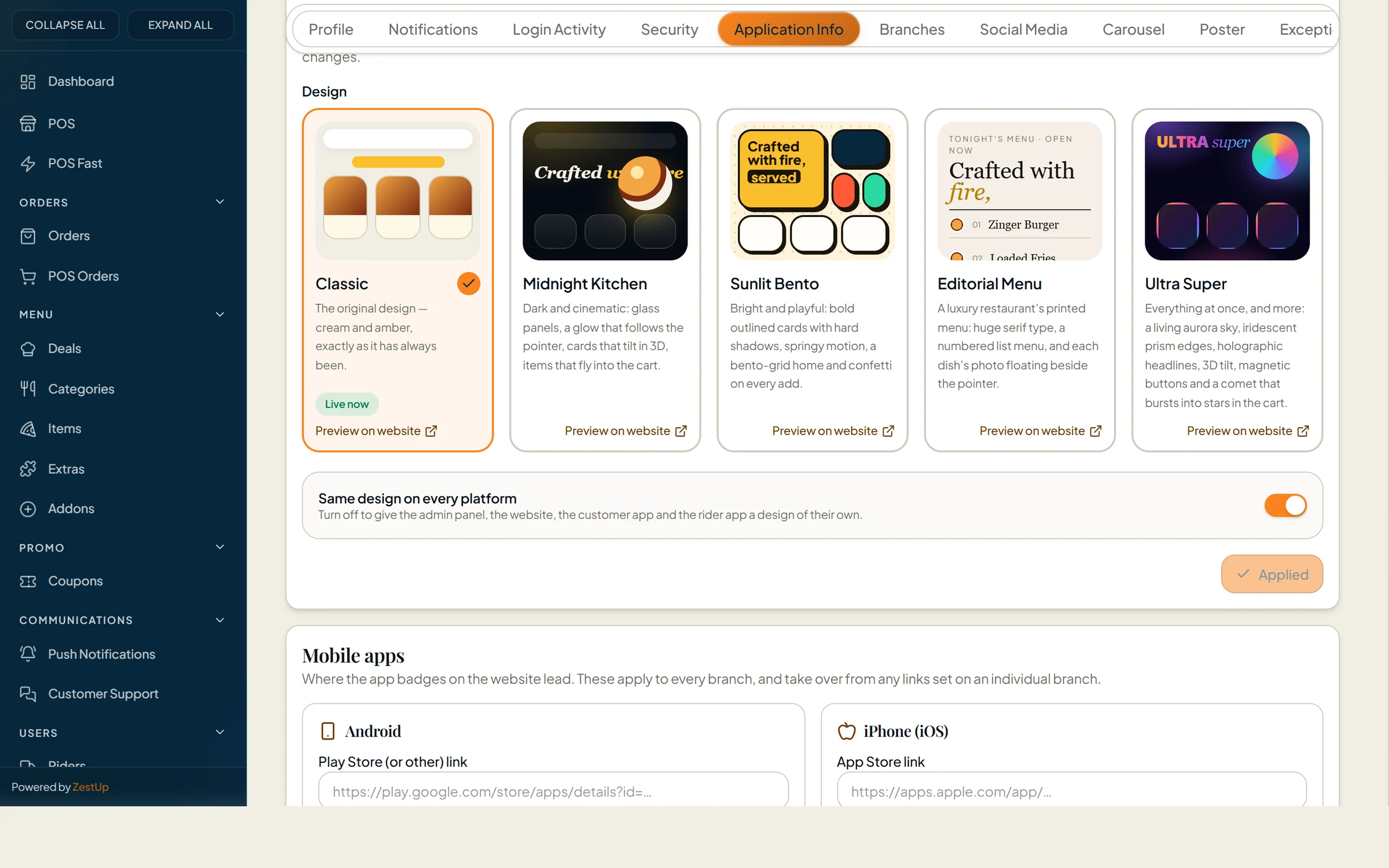
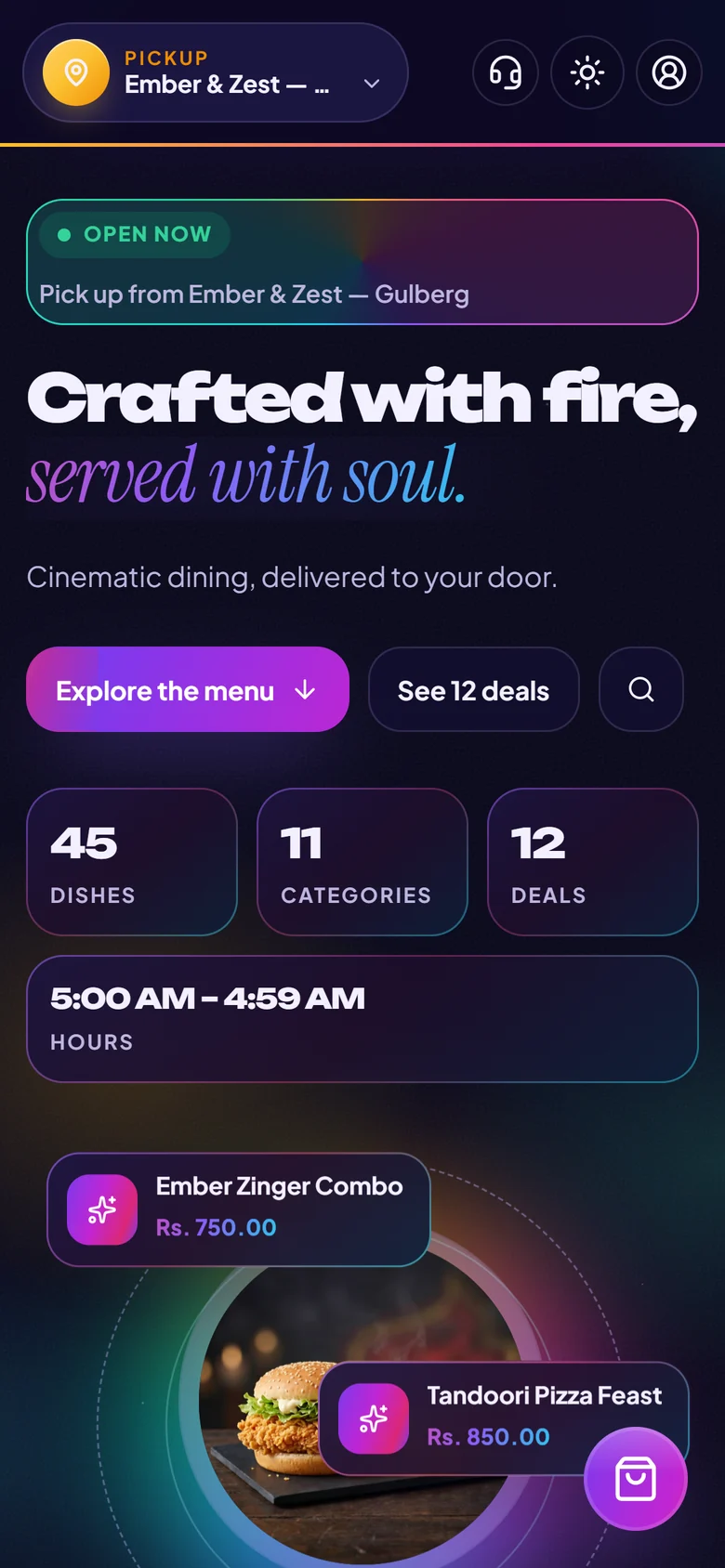
Five storefront designs. Switch in one click.

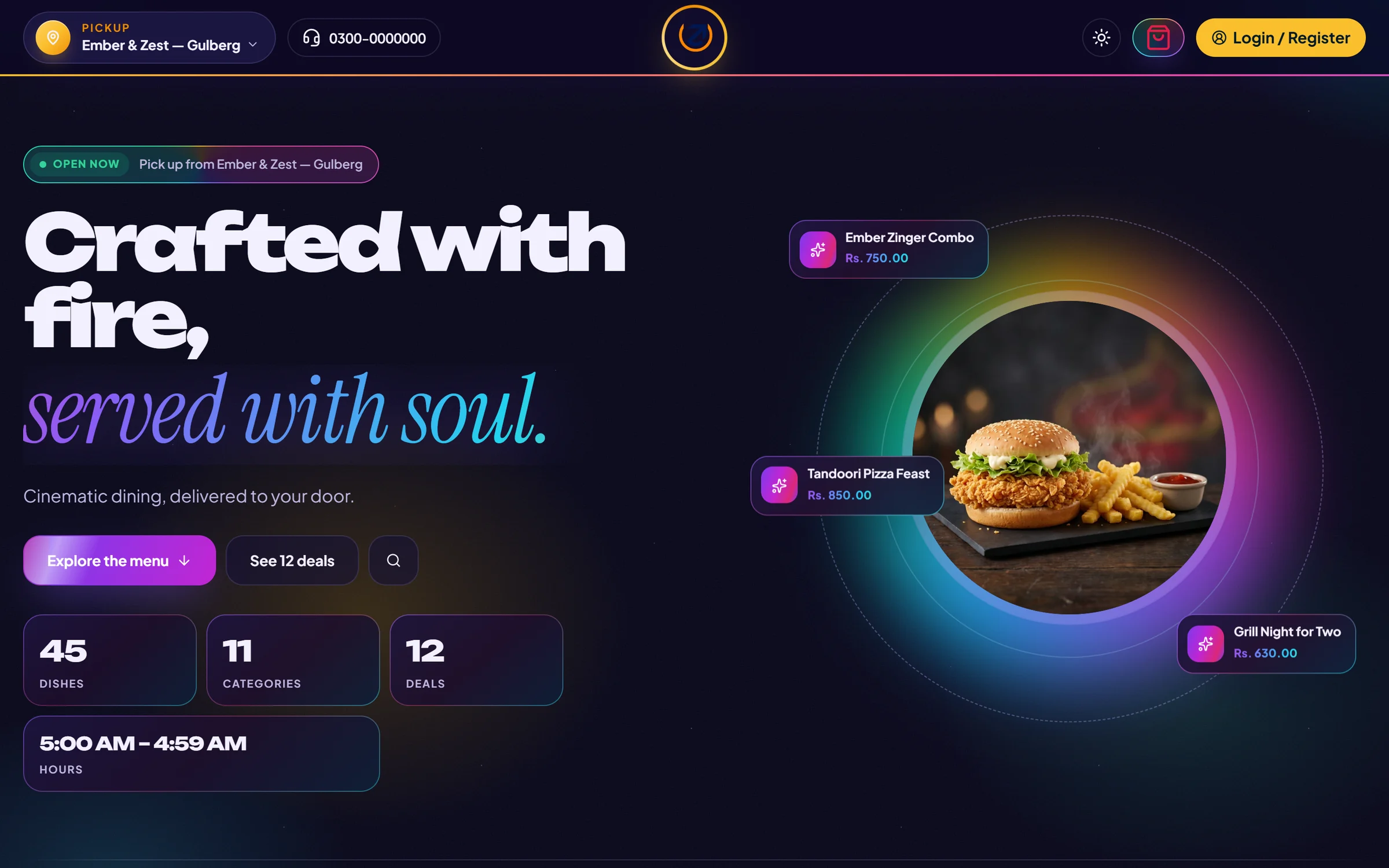
The Total Online storefront comes with five complete designs. Pick the one that fits your brand, preview it on your own website, then make it live — your menu, prices and orders stay exactly as they are.

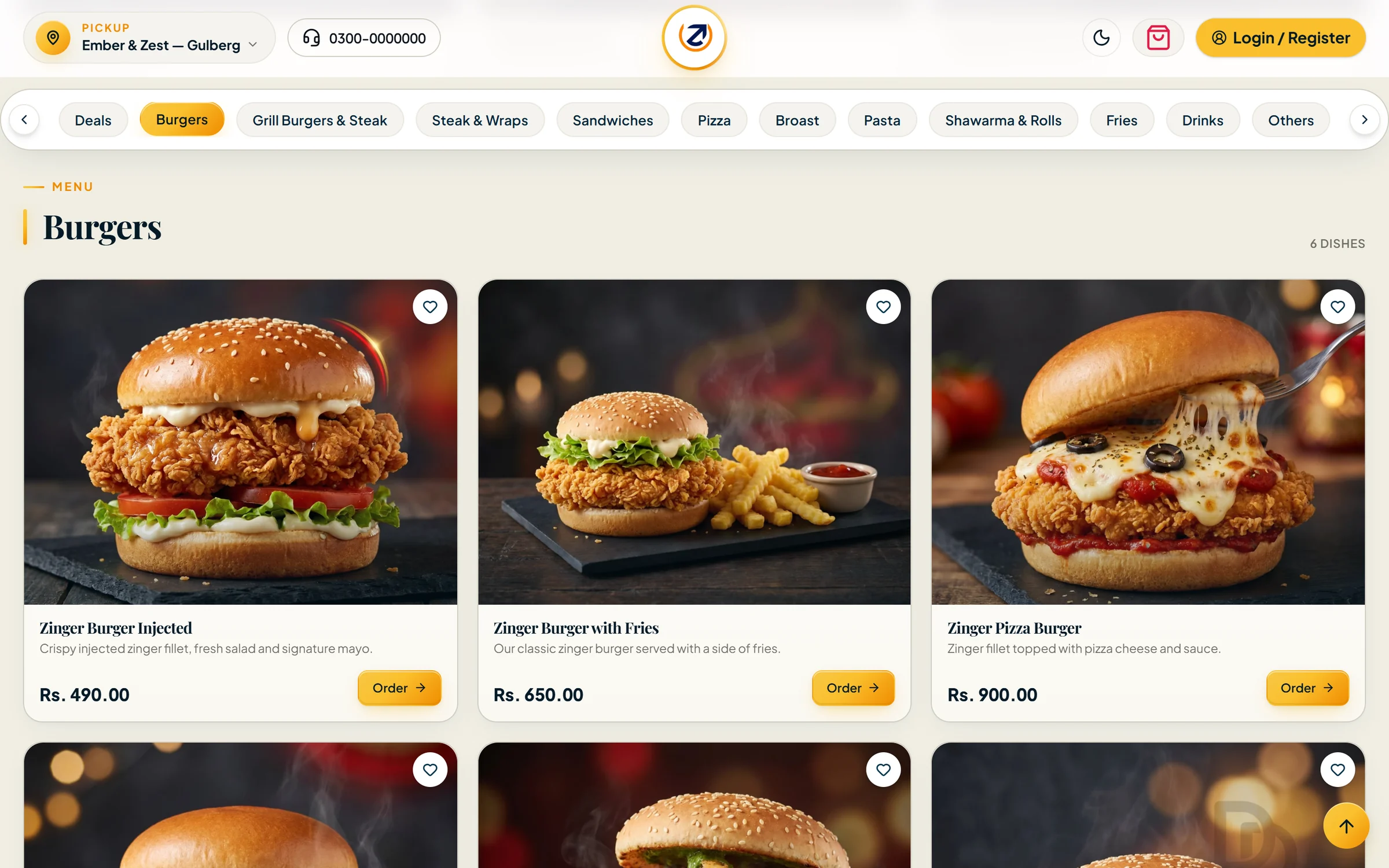
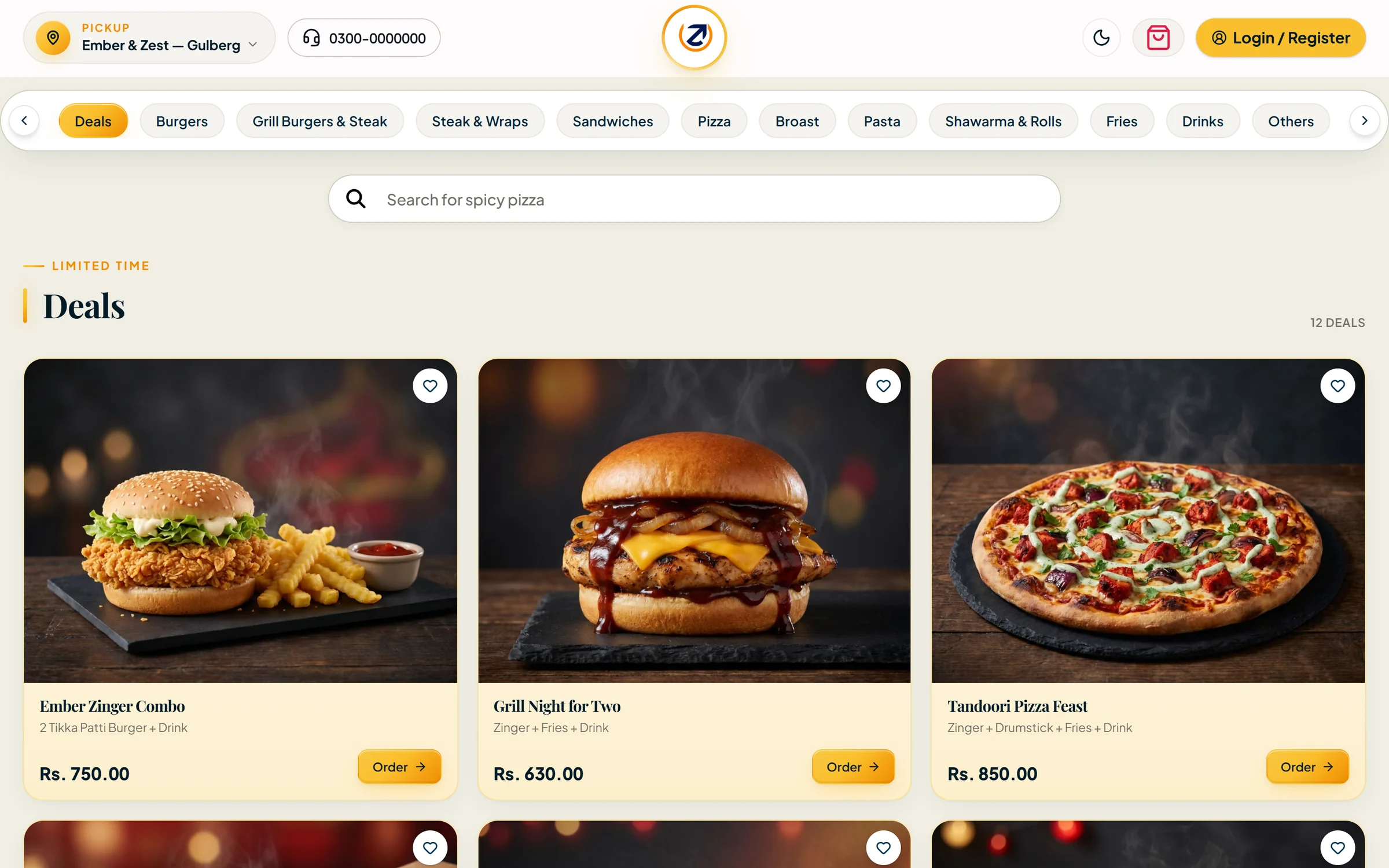
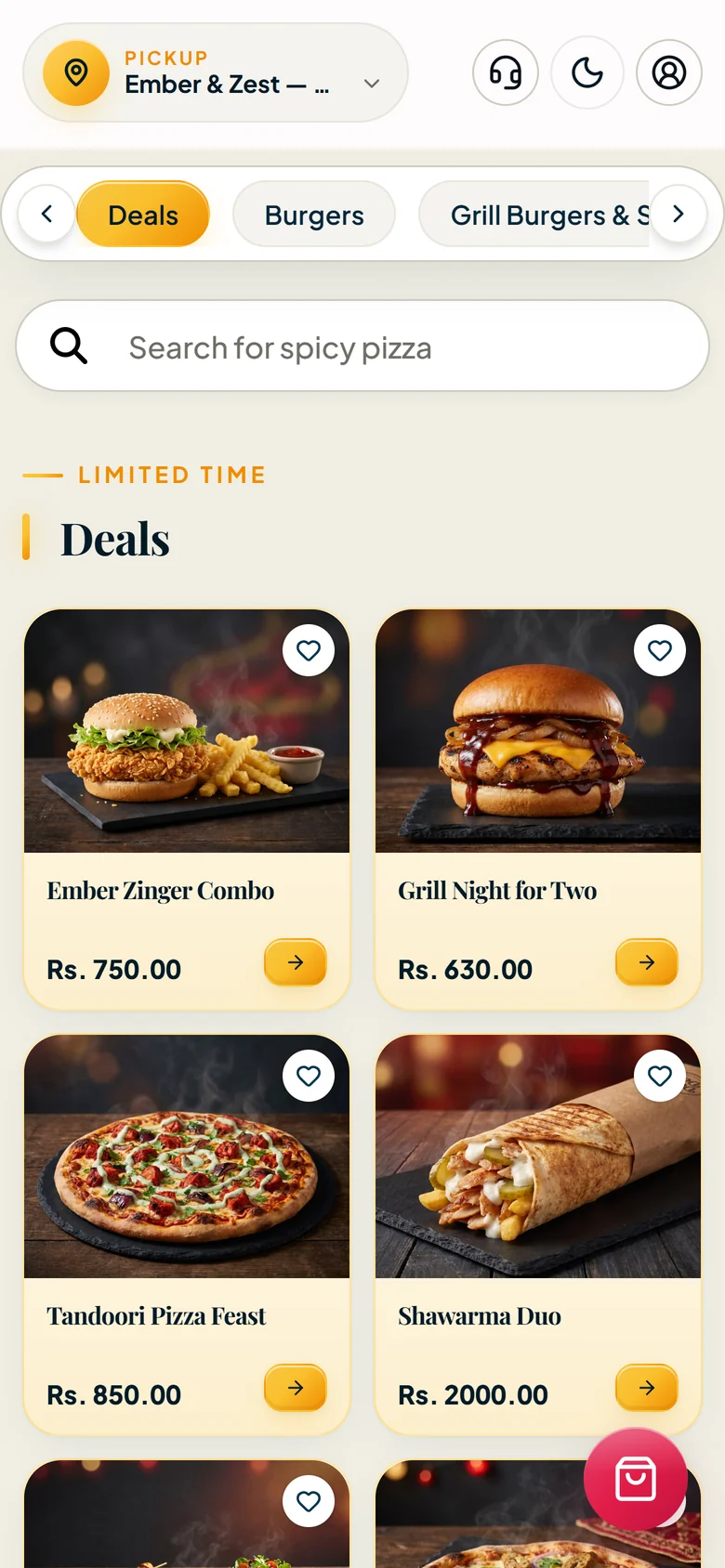
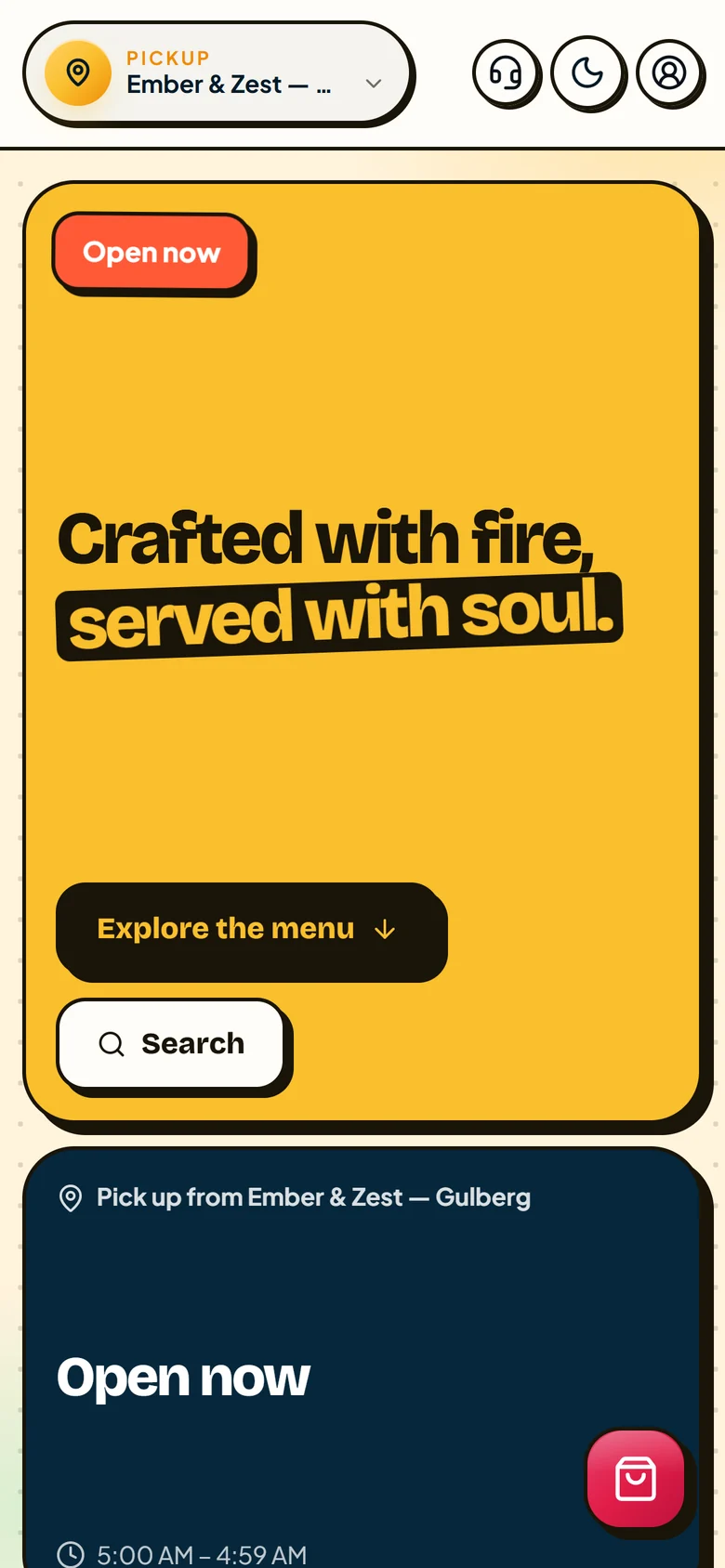
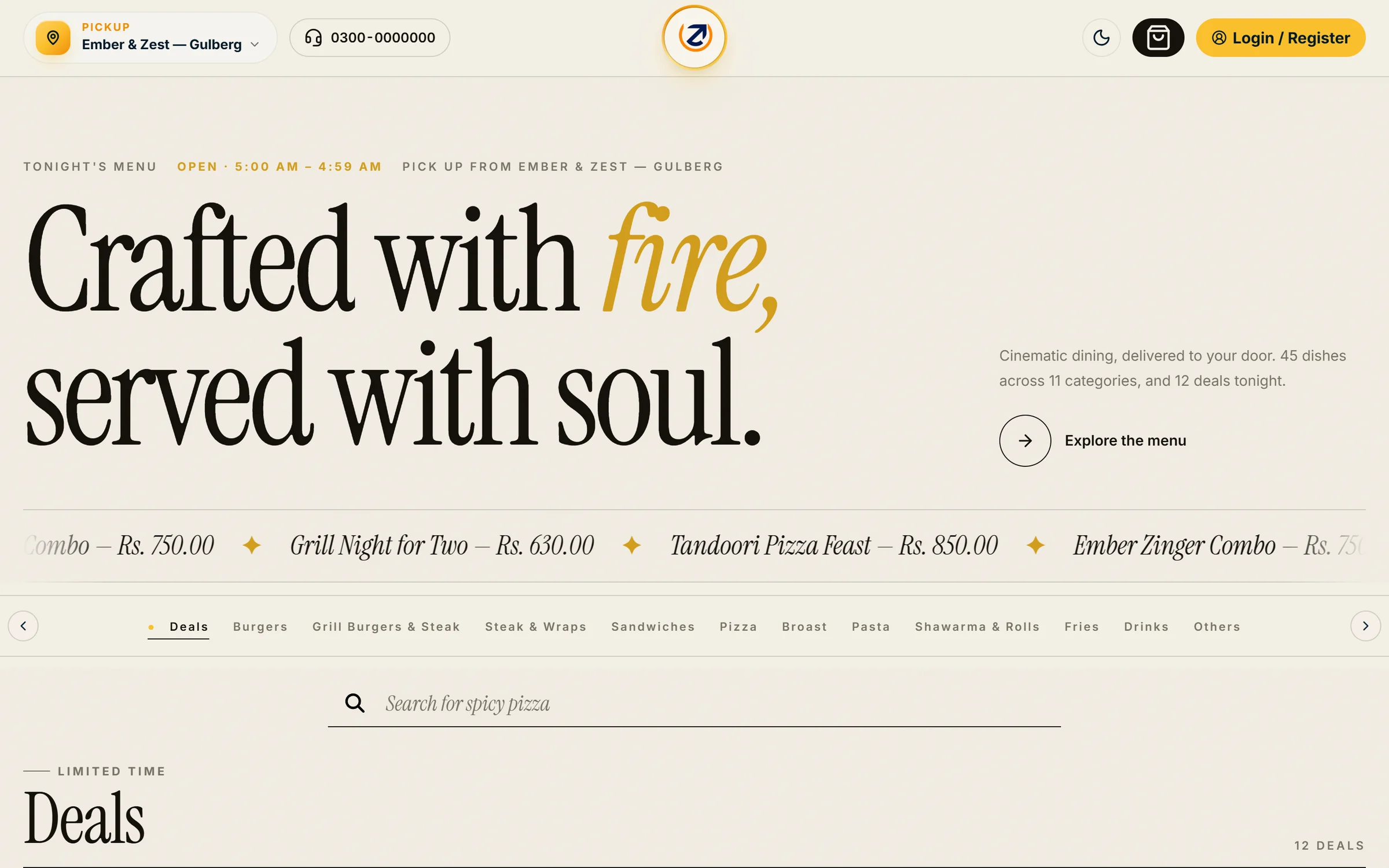
Storefront in the Classic design — warm cream menu with deal cards Real screen · demo data
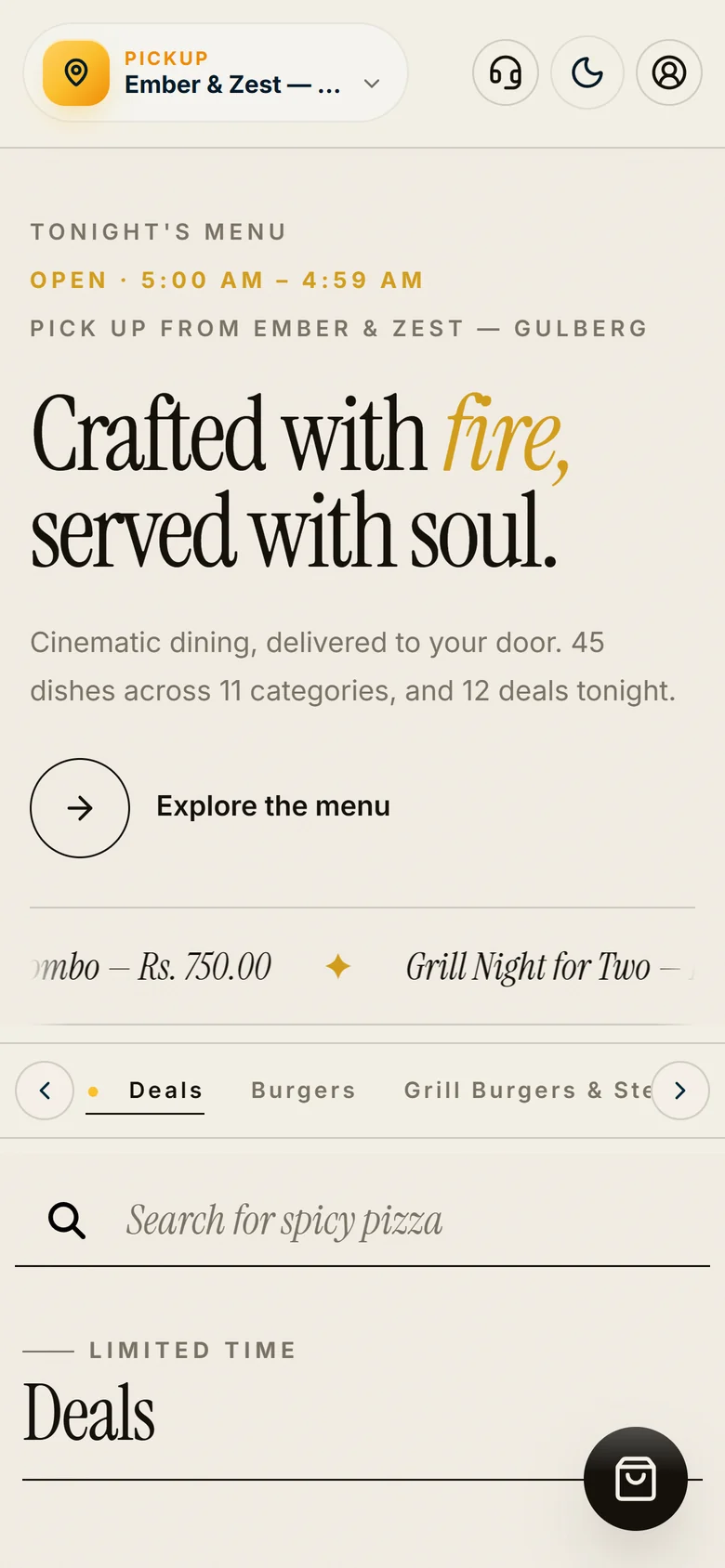
Storefront in the Classic design on a phone

Classic — Warm, clean and photo-first — a familiar menu that suits any restaurant.

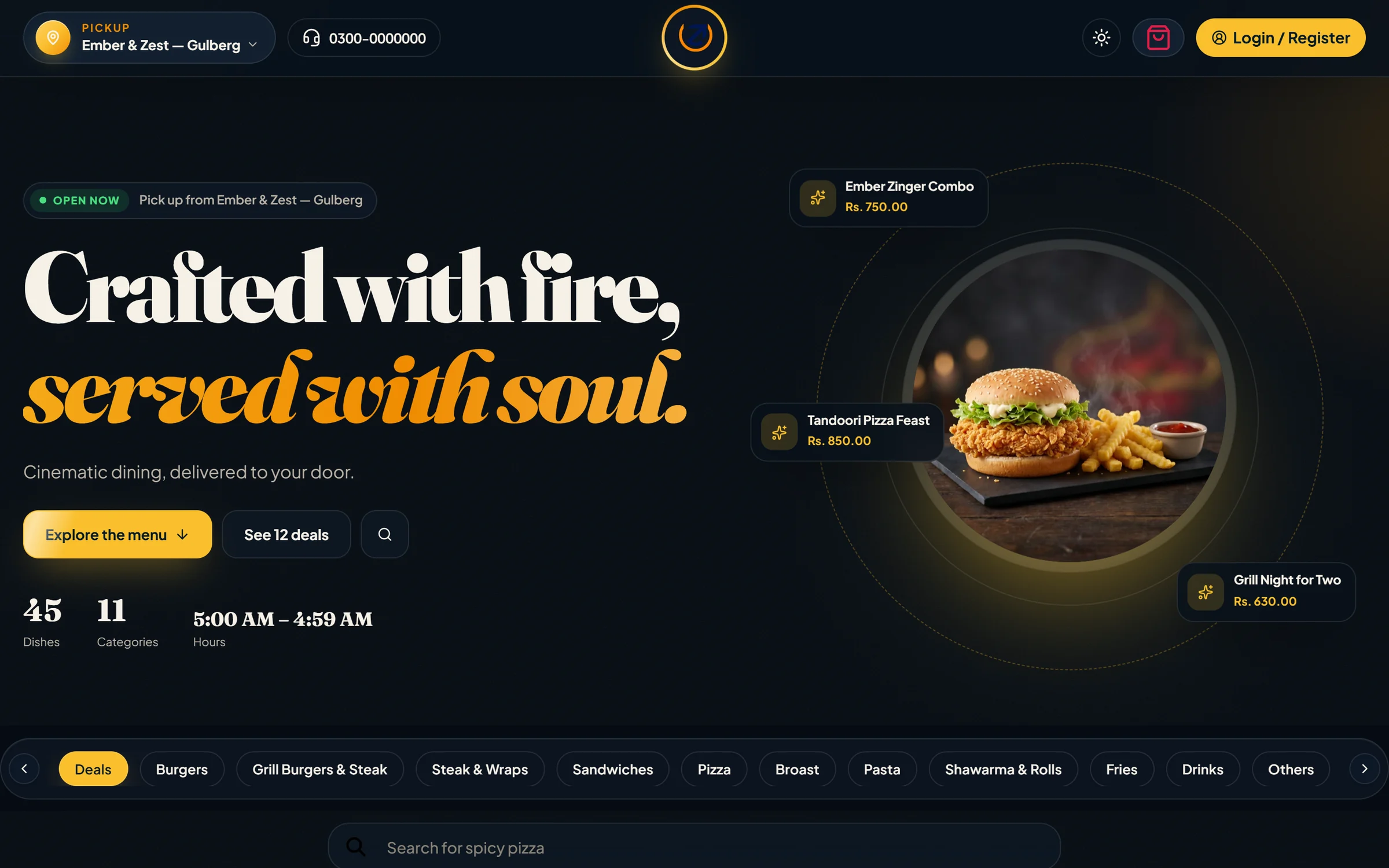
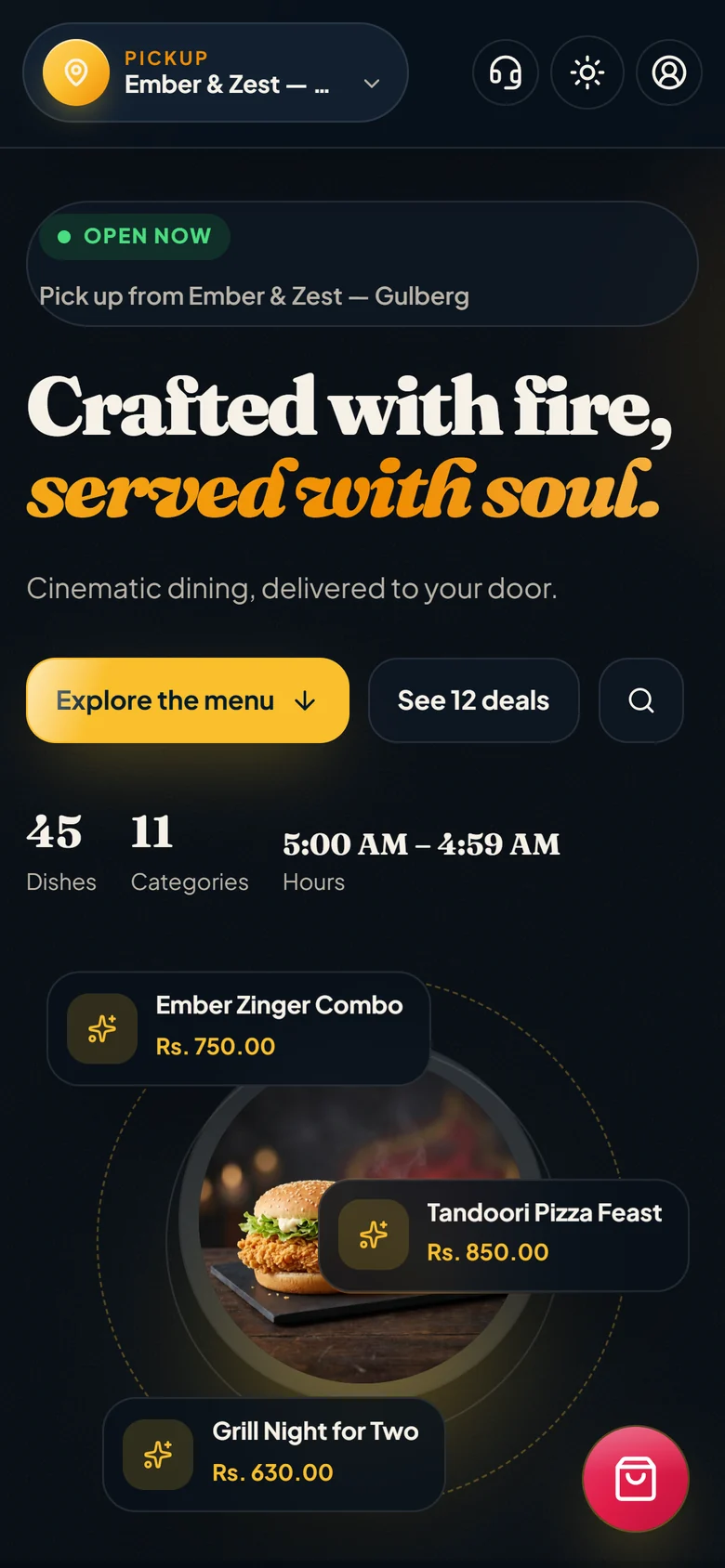
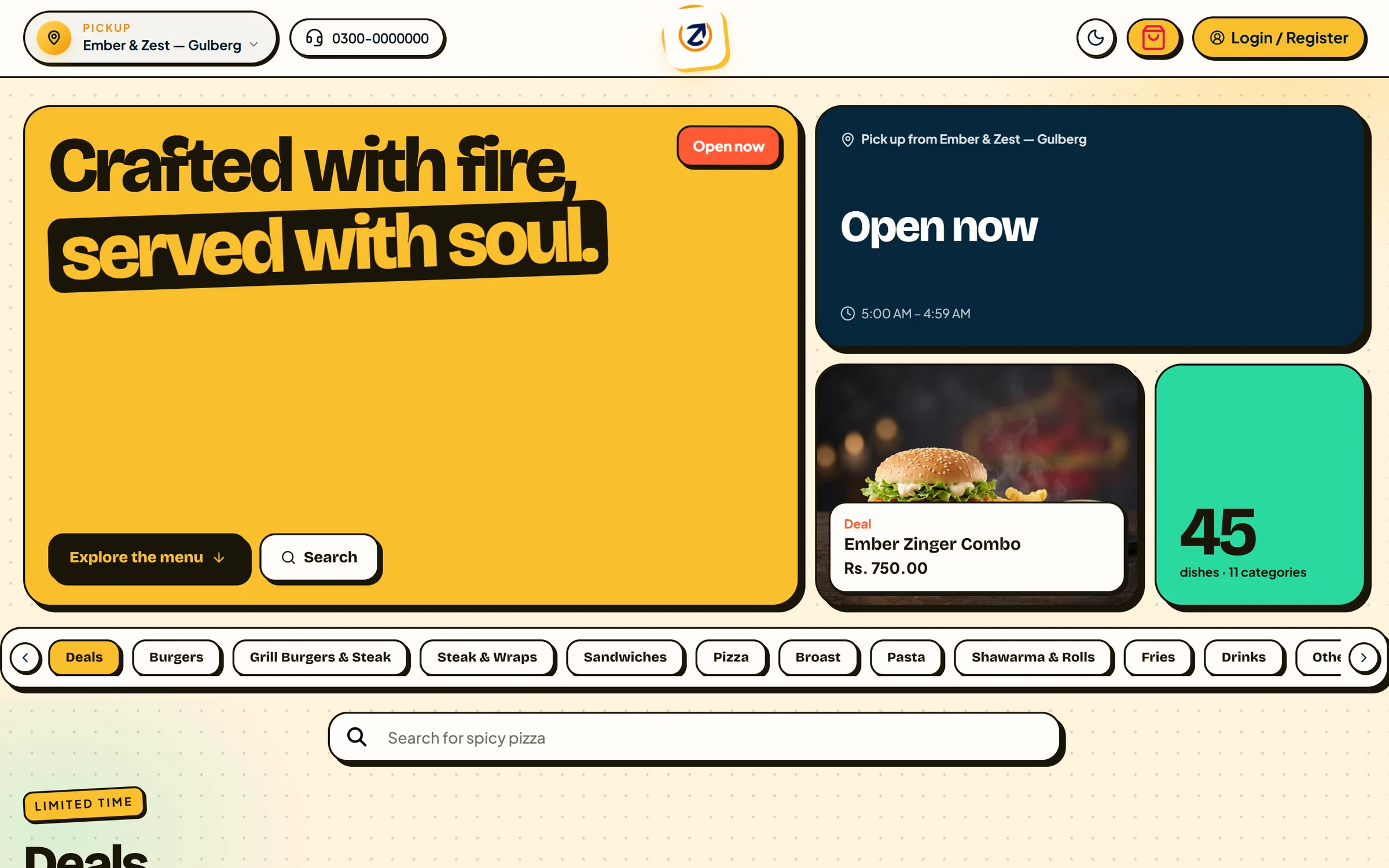
Look and feel settings with five storefront designs: Classic, Midnight Kitchen, Sunlit Bento, Editorial Menu and Ultra Super Real screen · demo data

Chosen from the admin panel

Open Application settings → Look and feel in the Total Online admin, preview any design on your live website, then switch for every guest with one click.

  • Classic
  • Midnight Kitchen
  • Sunlit Bento
  • Editorial Menu
  • Ultra Super
This website has six designs of its own. Try one — it changes only for you.
Capabilities

Everything included.

Verified against the running software. Where something has a limitation, it says so.

Ordering & storefront

Branded web storefront

Your own ordering website with categories, deals, search, favourites, coupons, cart, checkout and order tracking.

Android & iOS customer apps

Native apps with the same menu, cart, coupons, favourites, order history, tracking and live chat.

Delivery, pick-up & dine-in

Each order type has its own flow: from pending to delivered, completed or served — with timestamps at every step.

Variants, add-ons & deals

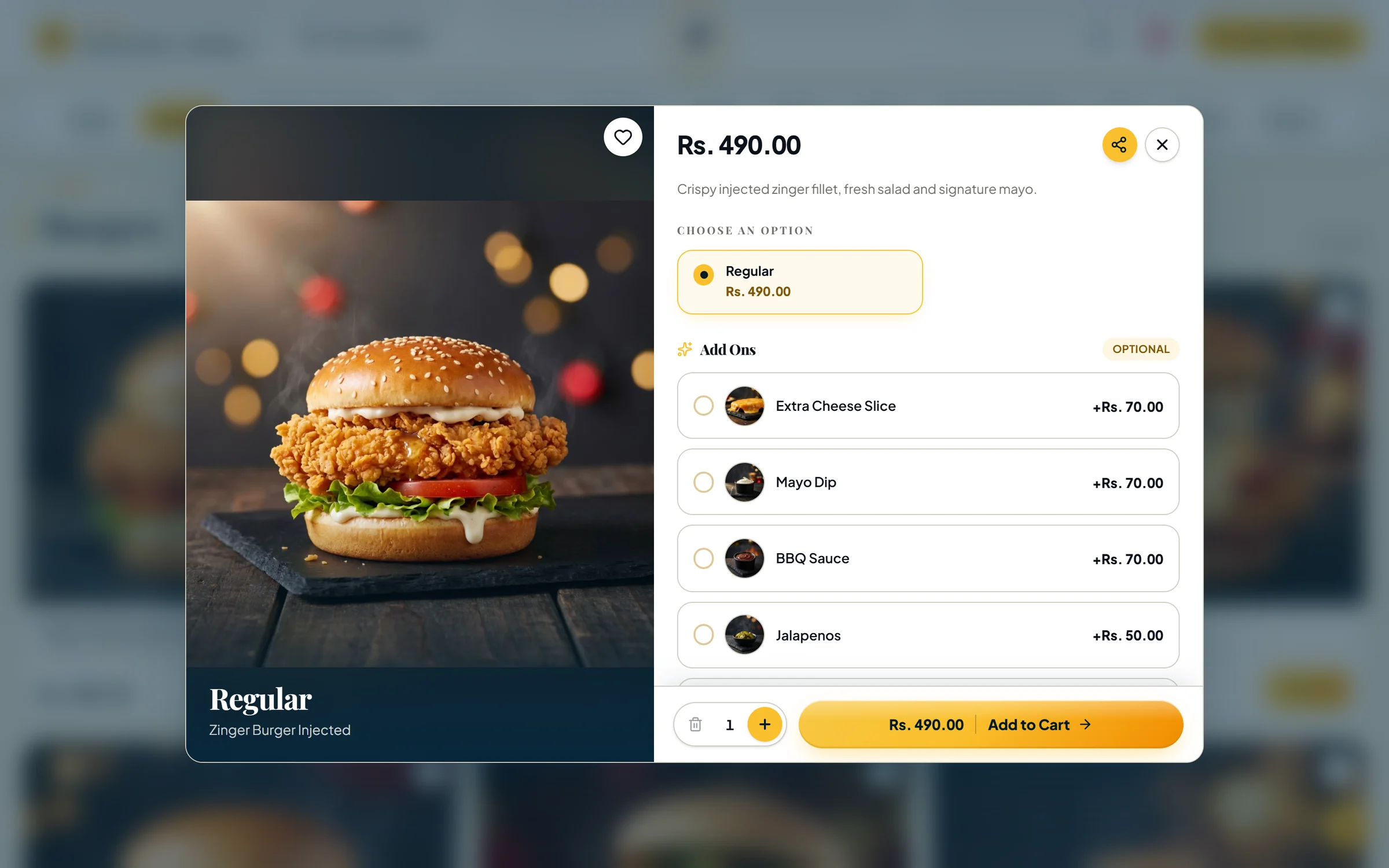
Sizes, optional add-ons and extras with photos, and deals that bundle any variants.

Control & security

Prices the server can vouch for

Totals, tax, delivery and discounts are calculated on the server; a request carrying its own prices is rejected.

Roles & 48 permissions

Build roles from granular view/manage permissions and scope staff to branches.

Switchable storefront designs

Classic, Midnight Kitchen, Sunlit Bento, Editorial Menu and Ultra Super — previewed on your site before going live.

Backup & restore

Selective JSON backups and idempotent restores, protected by a separate daily key.

Operations

Live order desk

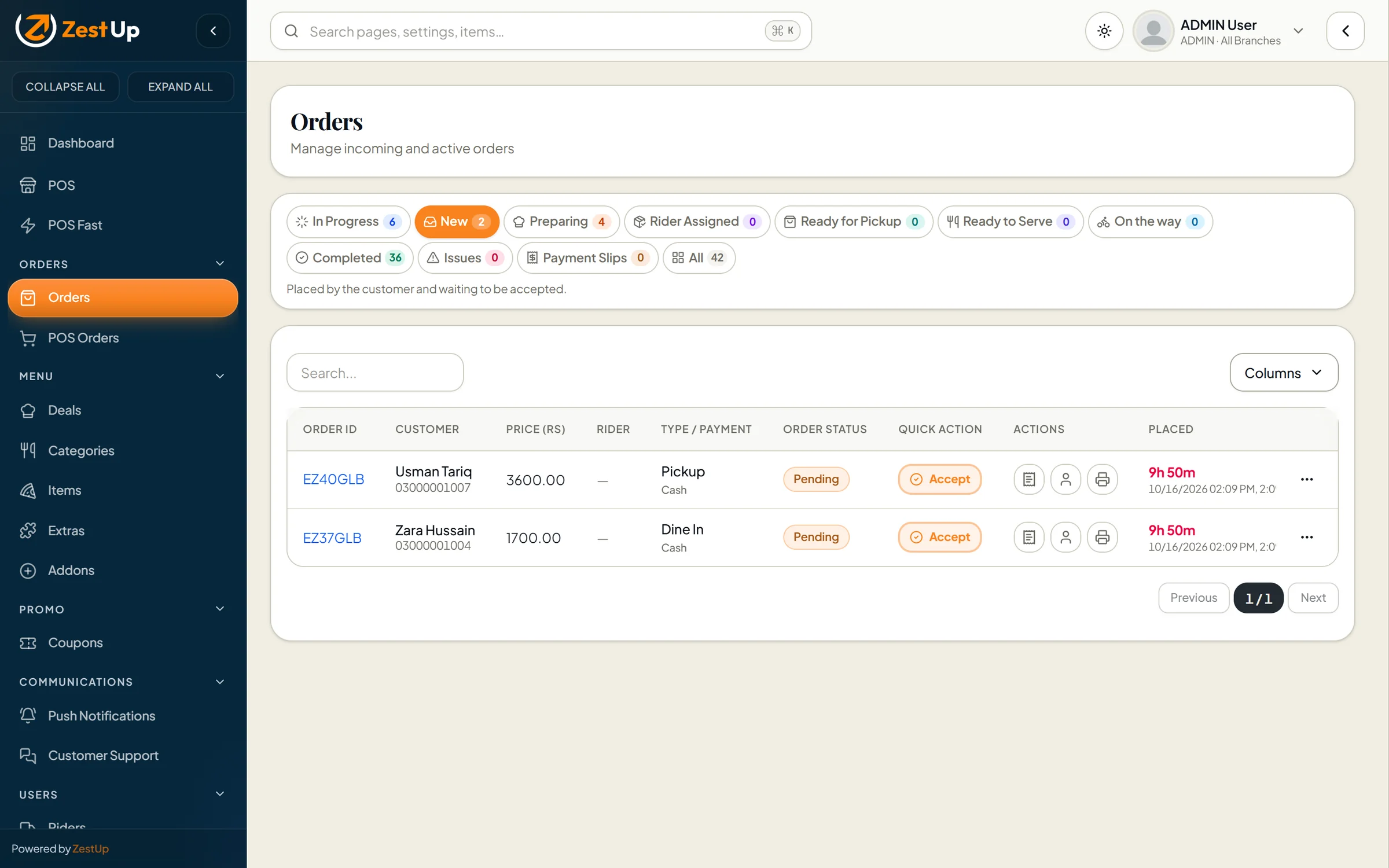
Tabs for new, preparing, ready, on the way and completed orders, one-tap accept and a looping new-order alarm.

Point of sale & POS Fast

A counter till that works from the live branch menu, plus a guided four-step mode for rush hours.

Thermal receipts

An 80 mm bill for online and counter orders, printed from the order screen.

Riders & dispatch

Rider accounts and offline “manual riders” scoped to branches, with dispatch from the order screen.

Rider app for Android & iOS

Riders see assigned orders, update status to out-for-delivery, delivered or returned, open navigation and review their day.

Multi-branch

Branch hours, special closures, delivery radius and fees, tax, order numbering and per-branch menu availability.

Cash & bank transfer

Customers pay cash or by bank transfer and upload the payment slip; staff confirm or reject it. Online card payments are not included.

Has a stated limitation

Promotions & growth

Coupons with guard-rails

Percentage or fixed, minimum order, start and expiry, branch and order-type scope, per-guest and total limits.

Banners & posters

Home-page slides and a promotional poster pop-up, managed from the admin.

Order sharing on WhatsApp

Share an order’s details with your team or rider in one tap, using ready-made message presets.

Push notifications

Compose push notifications to app users. Requires your own Firebase project.

Has a stated limitation

Insight & reporting

Sales, item & closing reports

Revenue, orders and average order value by period and order type, item performance and daily closing.

Made for

Businesses that serve people in person.

Restaurants Cafés Cloud kitchens Bakeries & dessert shops
Pricing

Total Online plans

Questions

About Total Online

Is the storefront under my own name and domain?

Yes. Each business gets its own deployment with its name, logo, colours and photography, served from its own domain. Customers order directly from you.

Which order types are supported?

Delivery, pick-up and dine-in. Each has its own sequence of statuses — for example, delivery goes from pending to confirmed, preparing, assigned to a rider, out for delivery and delivered.

Which payment methods can customers use?

Cash, and bank transfer with a payment-slip upload that your staff confirm or reject. Online card payments are not part of the current product.

Are there mobile apps?

Yes — a customer app and a rider app, both built for Android and iOS and carrying your brand. How and where they are published is agreed during onboarding.

Can I run several branches?

Yes. Each branch has its own hours, closures, delivery radius and fees, tax and order numbering, and you can switch items on or off per branch. Staff can be limited to their own branch.

See it for yourself

Thirty minutes. Your menu. The real thing.

Book a private walkthrough of the products you’re interested in. No slides — just the software.

Design preview Emerald DecoExit preview