Ordering & guest-experience software

Run the kitchen. Earn the return visit.

ZestUp gives your business its own ordering website, mobile apps and a command centre for every order — and a QR feedback system that turns each table into an honest conversation and a reason to come back.

Every screen on this site is the real software, running on demo data.
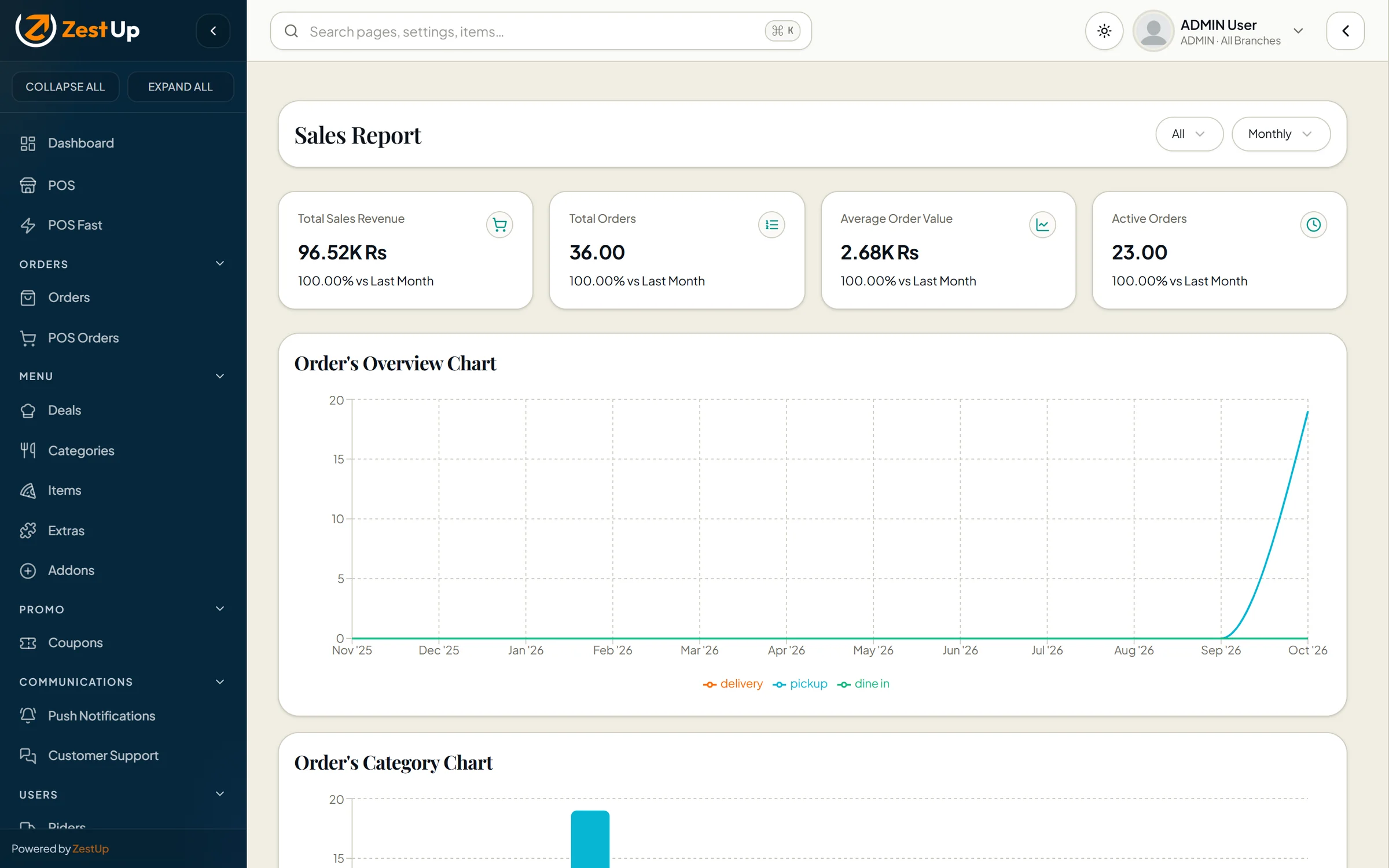
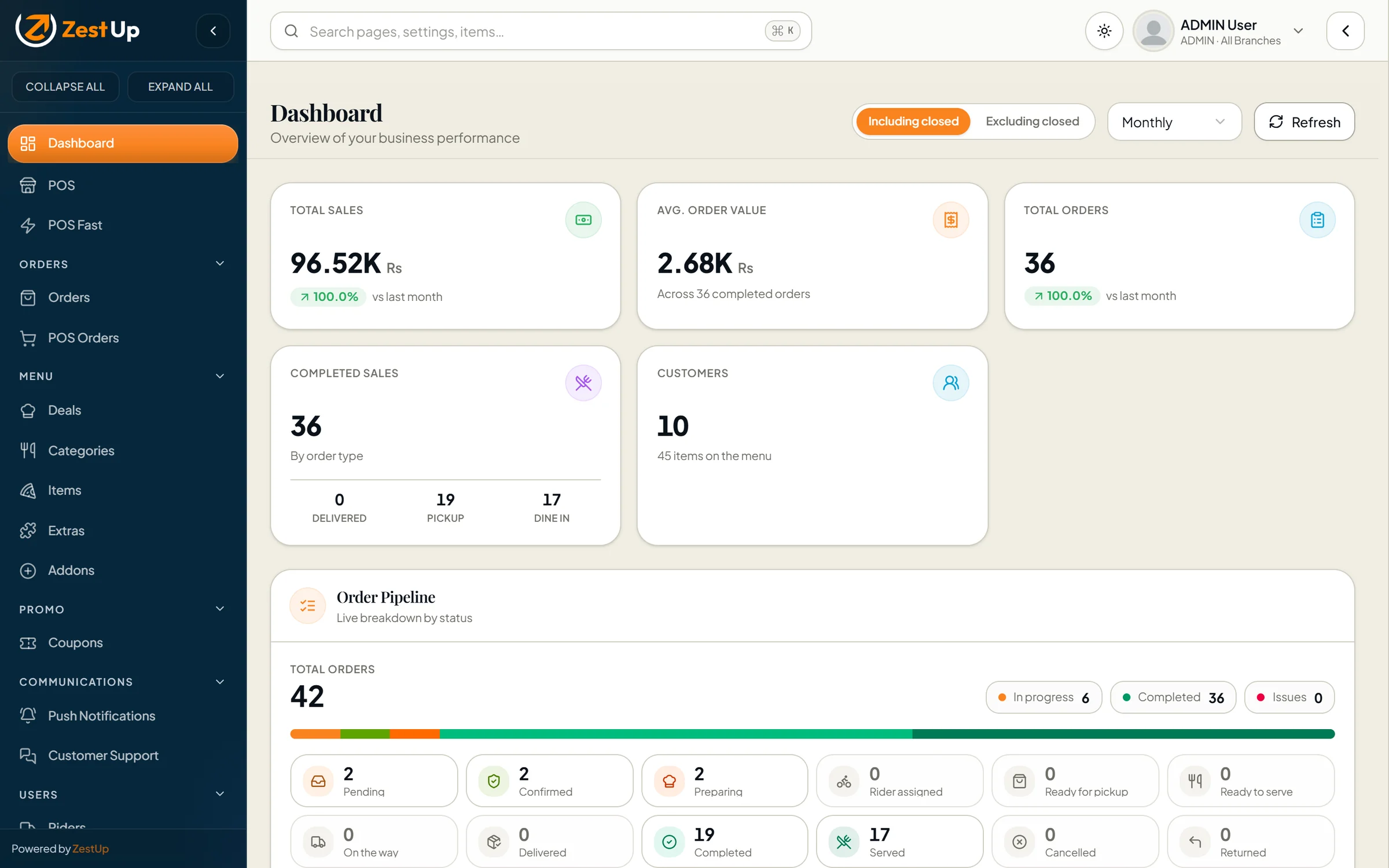
Total Online admin dashboard with sales, average order value, orders, customers and the live order pipeline
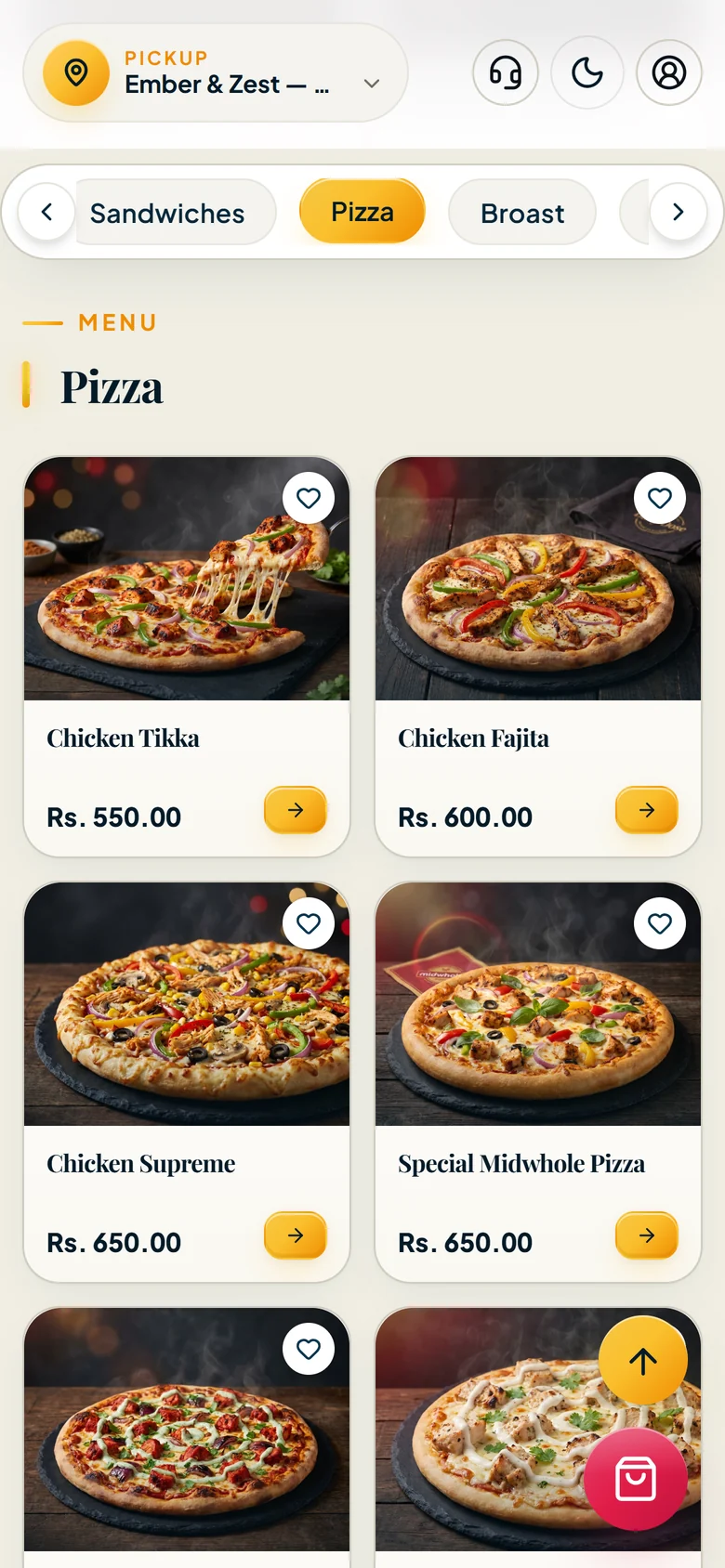
Customer storefront on a phone showing the pizza menu
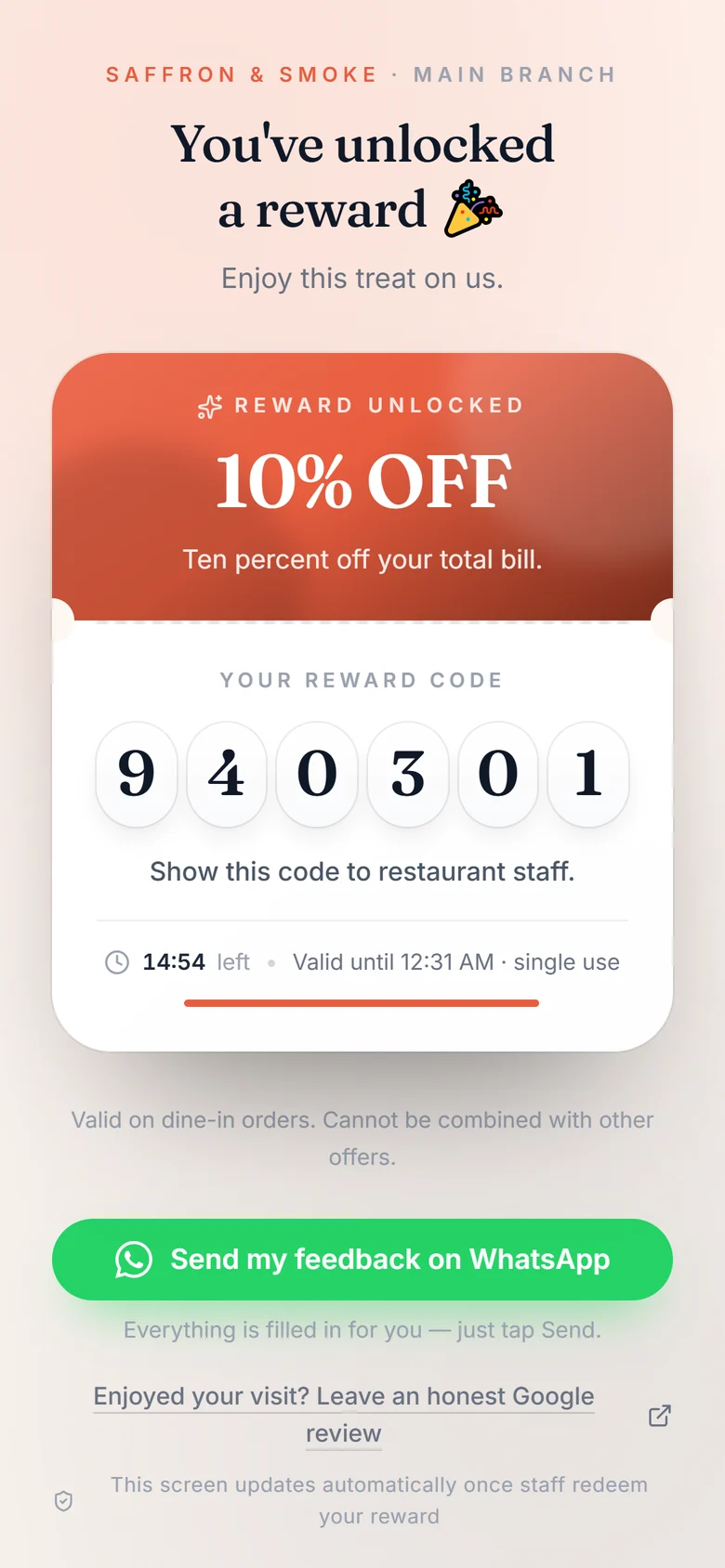
Reward unlocked with a six-digit one-time code and countdown
Branded web storefrontAndroid & iOS customer appsDelivery, pick-up & dine-inPrices the server can vouch forLive order deskPoint of sale & POS FastMulti-branchCoupons with guard-railsSwitchable storefront designsA guest flow people finishQuestionnaire builderVersions that never rewrite historyCampaigns & eligibilityOne-time codes staff can trustStaff verify appAn honest review invitation23 print-ready table stands
Two products

Two products. One standard of craft.

Use either on its own, or both together. Each one is complete, polished and already running in production.

Total Online01

Total Online System

Your own ordering website, mobile apps and a command centre that runs the whole operation.

  • Branded web storefront plus Android & iOS customer apps
  • Delivery, pick-up and dine-in with per-type order flows
  • Point-of-sale till and a guided “POS Fast” mode
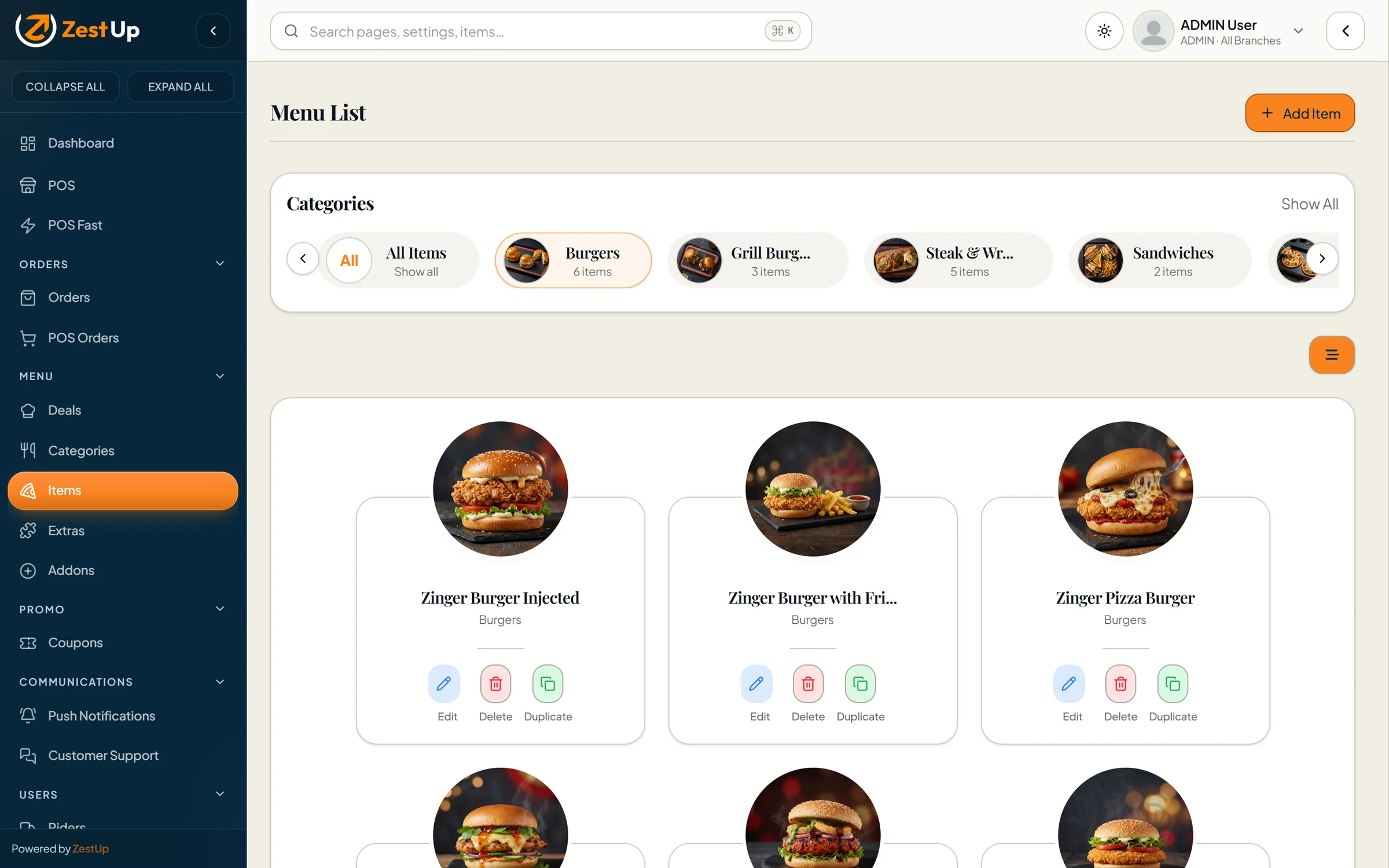
  • Menu with variants, add-ons, extras, deals and branch availability
QR Reviews02

QR Review System

Turn every table, counter and receipt into honest feedback — and a reason to come back.

  • Branded, mobile-first guest flow — no app to install
  • Questionnaire builder with 19 question types and IF/THEN logic
  • Immutable published versions, so old answers always stay readable
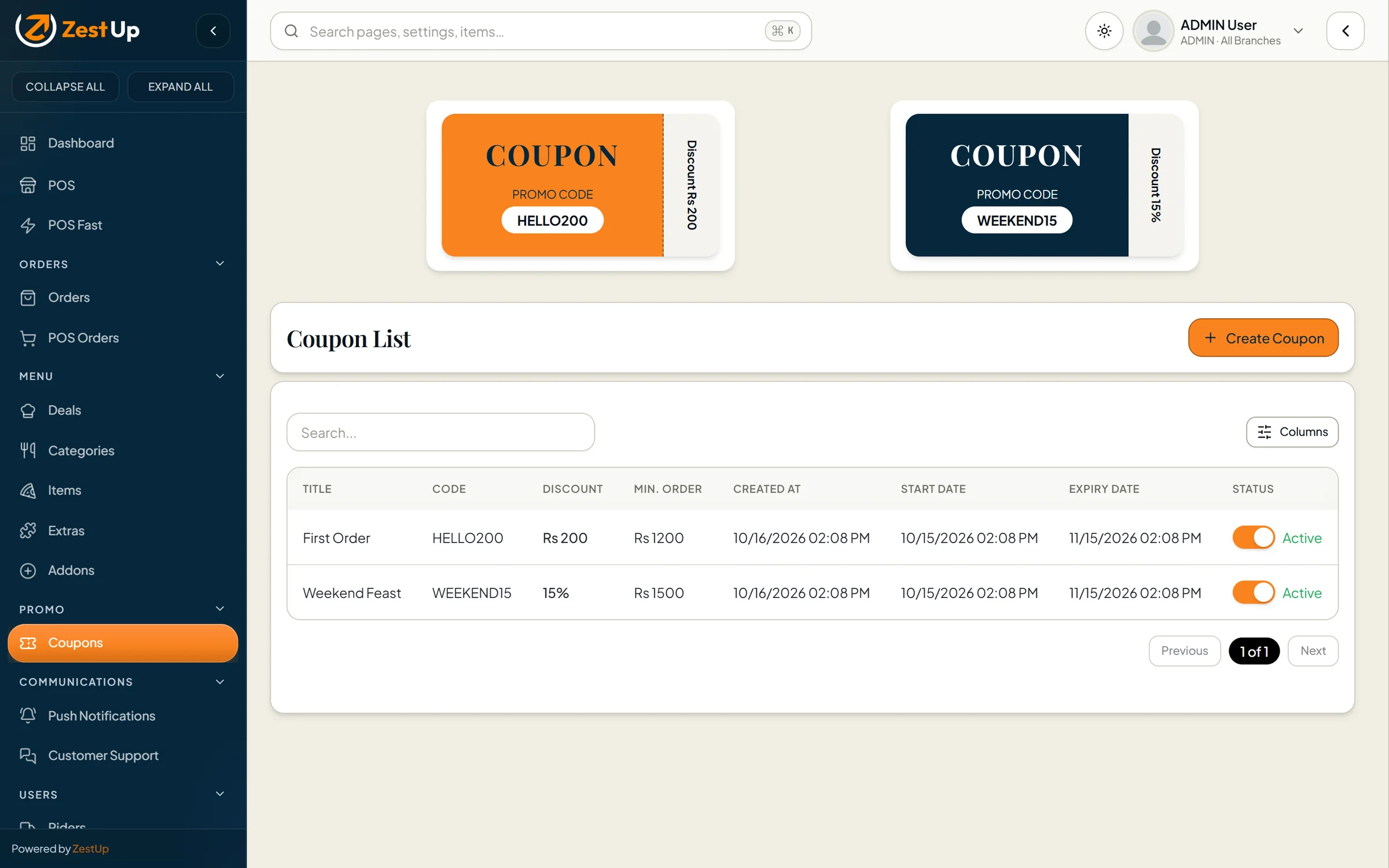
  • Campaigns with schedules, limits and eligibility rules
2 products, each usable on its own
4 apps: storefront, admin, customer & rider
3 order types, each with its own flow
19 question types in the feedback builder
23 print-ready QR table-stand designs
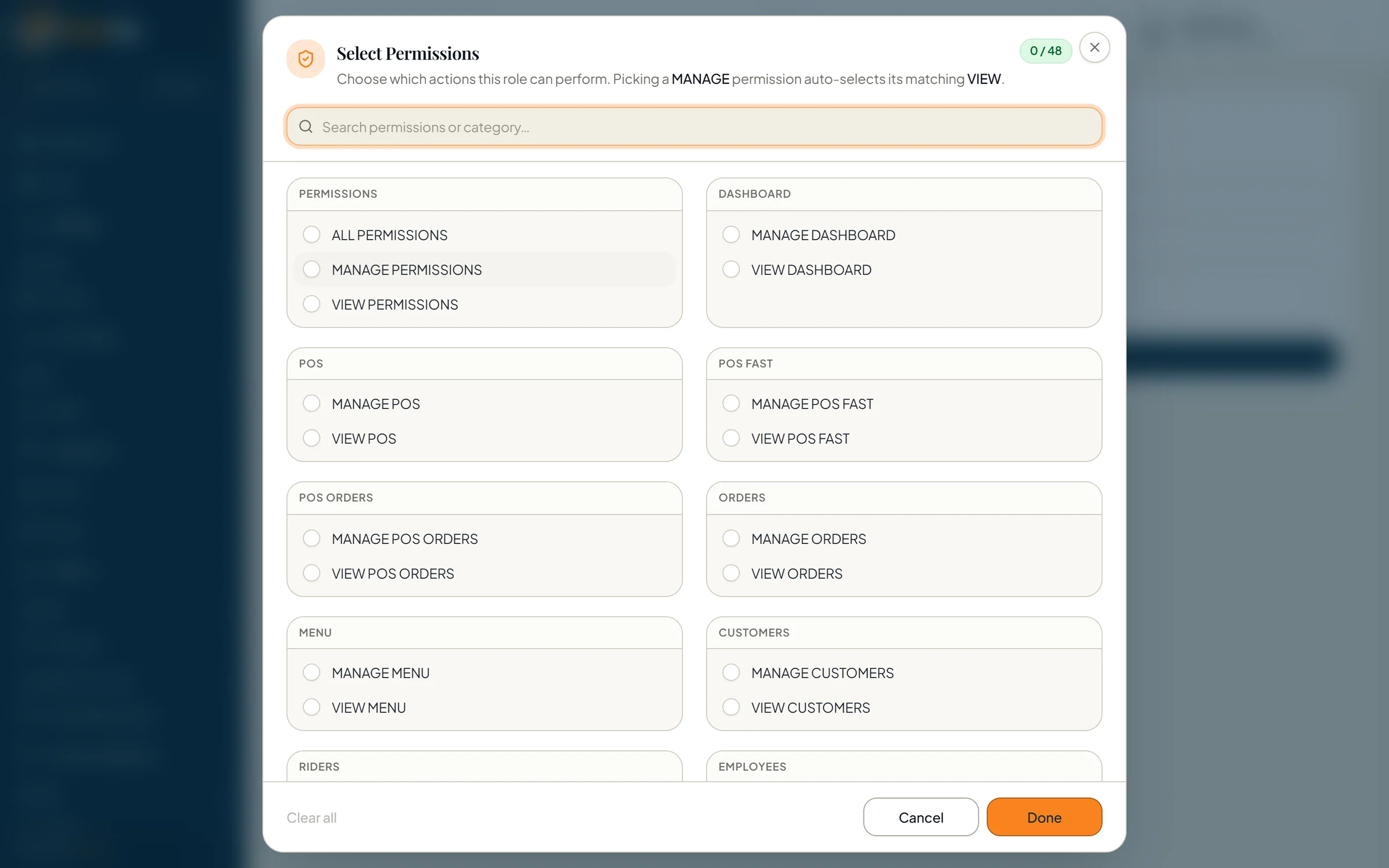
48 granular staff permissions
See it working

Real screens. Real workflows. Nothing mocked up.

A closer look at the moments that matter most — taking orders, serving guests and hearing what they think. Every picture is the live software running on demo data.

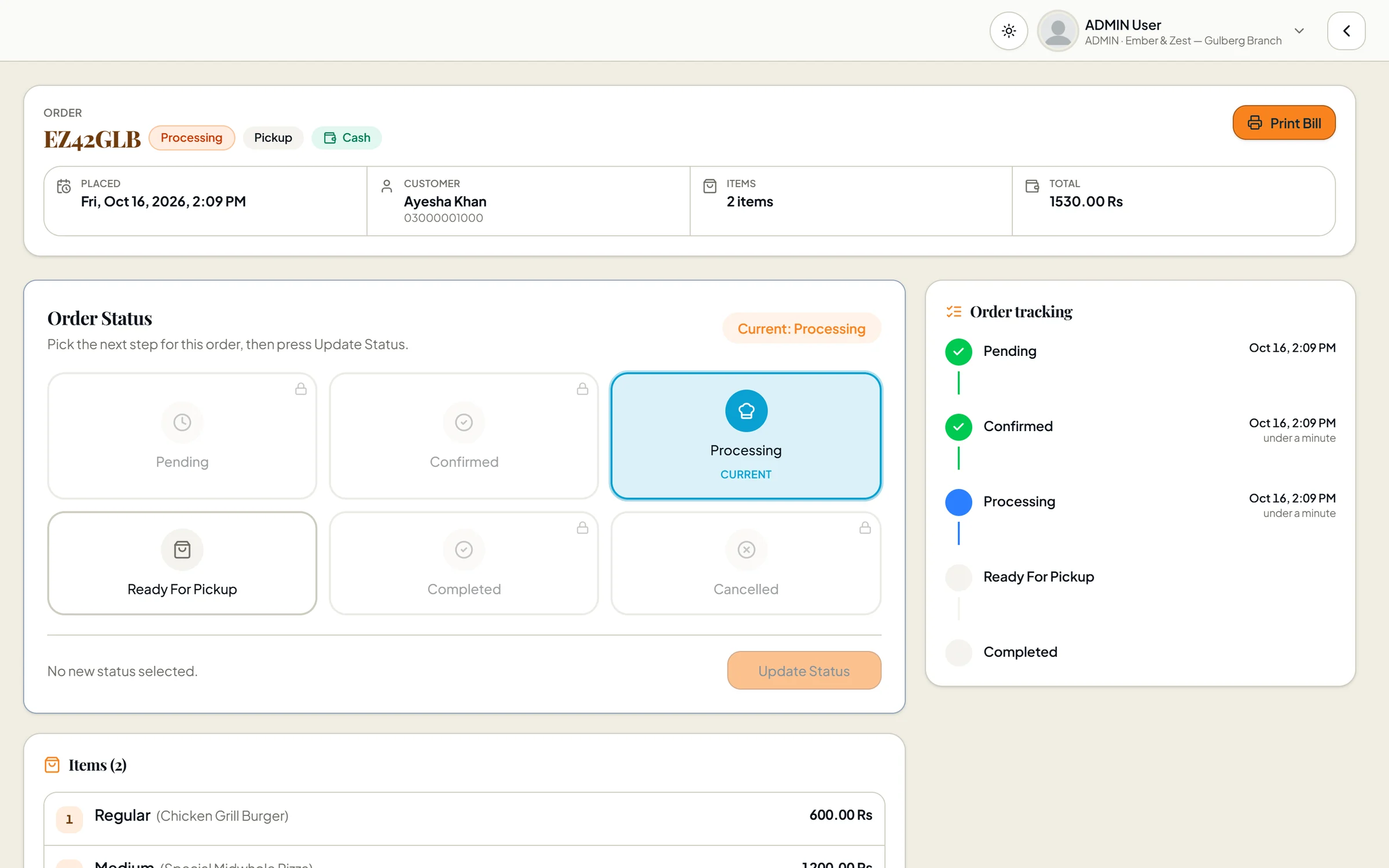
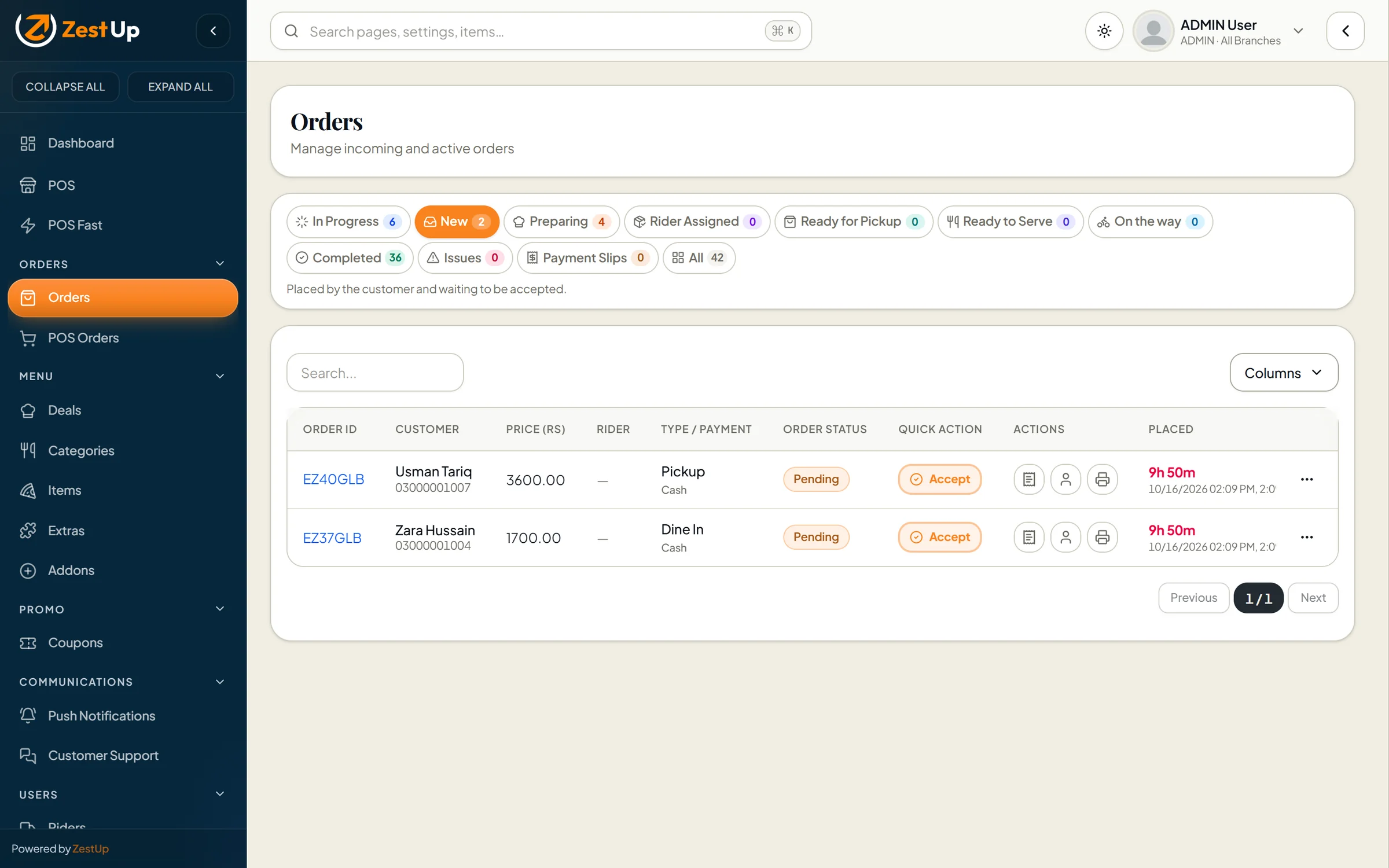
Order details with the status board and a timestamped order-tracking timeline Real screen · demo data
Total Online · Orders

Every order, from the first tap to the doorstep.

New, preparing, ready, on the way, completed — each stage has its own tab and count. Accept with one tap, print an 80 mm receipt and keep a timestamped trail of what changed and when.

  • Separate flows for delivery, pick-up and dine-in
  • Audible new-order alarm so nothing waits
  • Payment-slip review for bank transfers
Explore Total Online
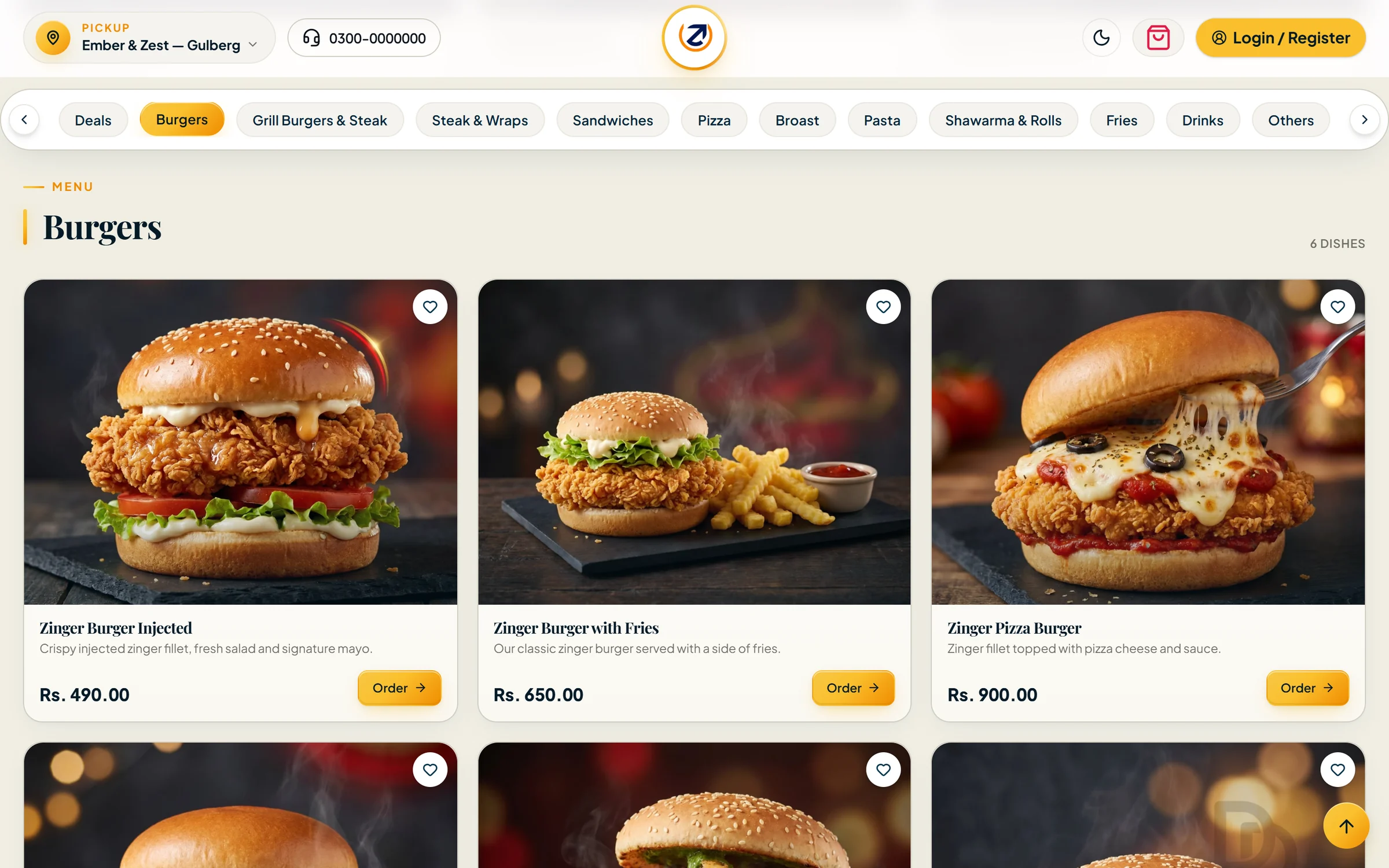
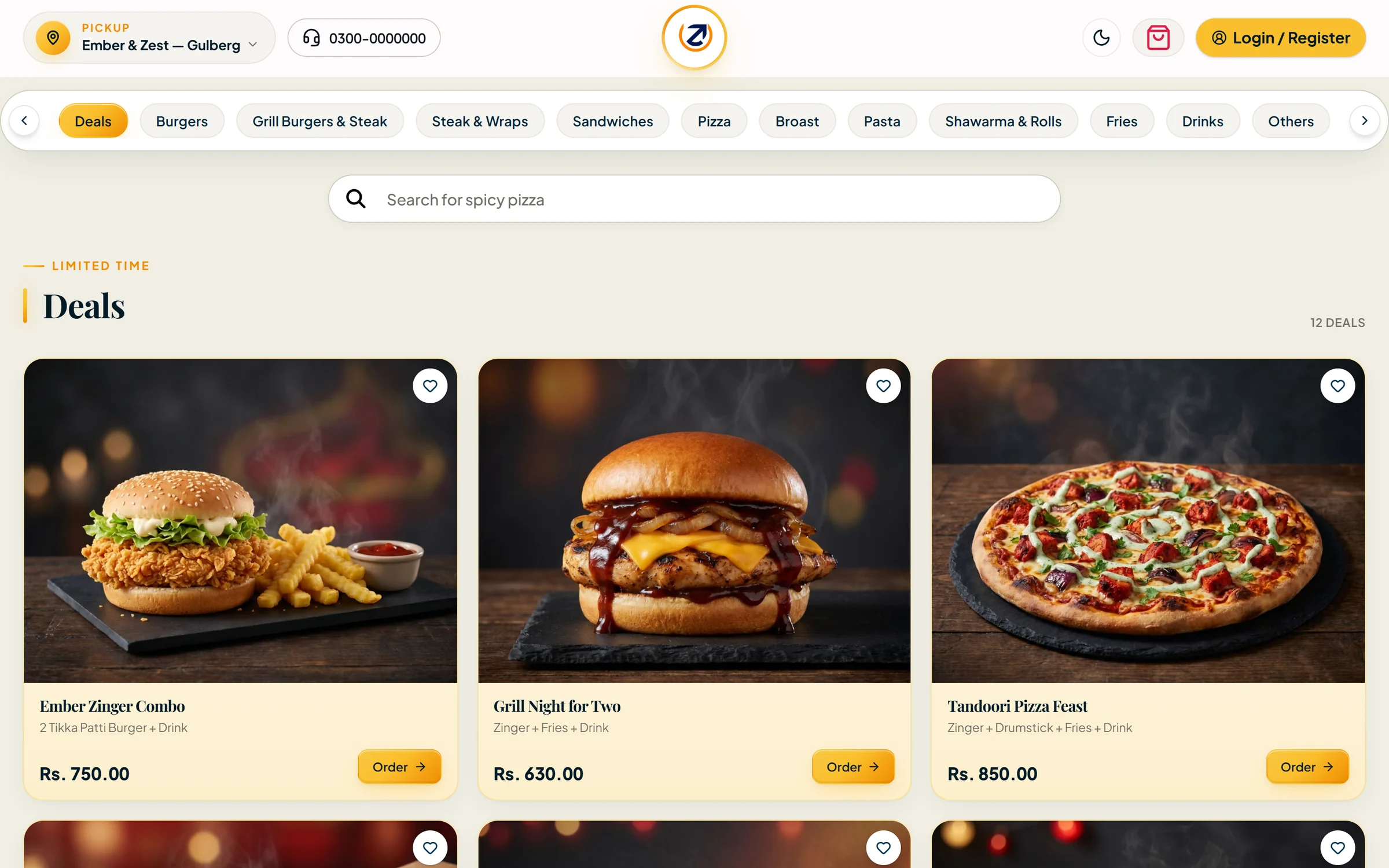
Customer storefront on desktop showing the burgers category with photos and prices Real screen · demo data
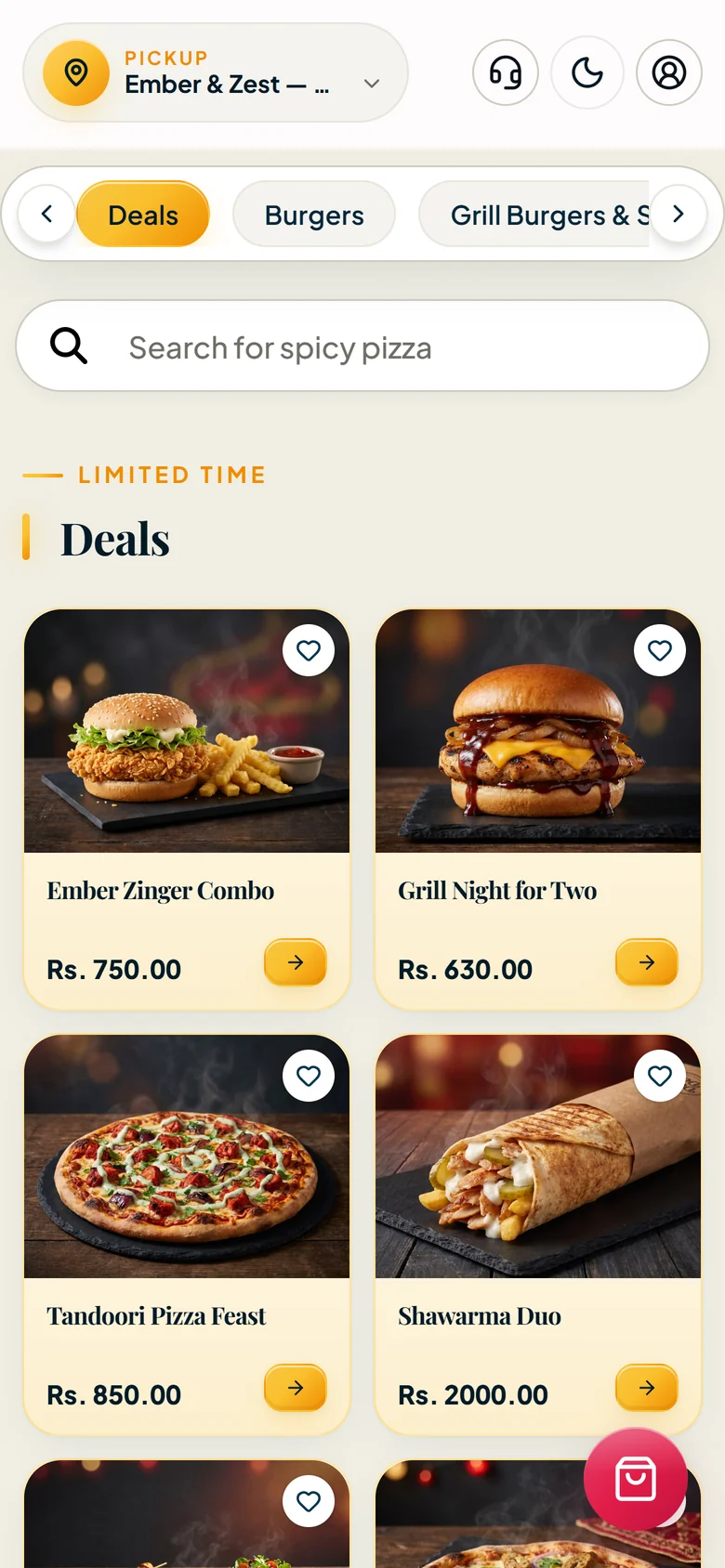
Customer storefront on a phone showing the pizza menu
Total Online · Storefront & apps

Your own storefront — on every screen your guests use.

Guests choose delivery, pick-up or dine-in, pick their branch and browse a fast, photo-led menu with deals, search and favourites — on the web, or in your Android and iOS apps.

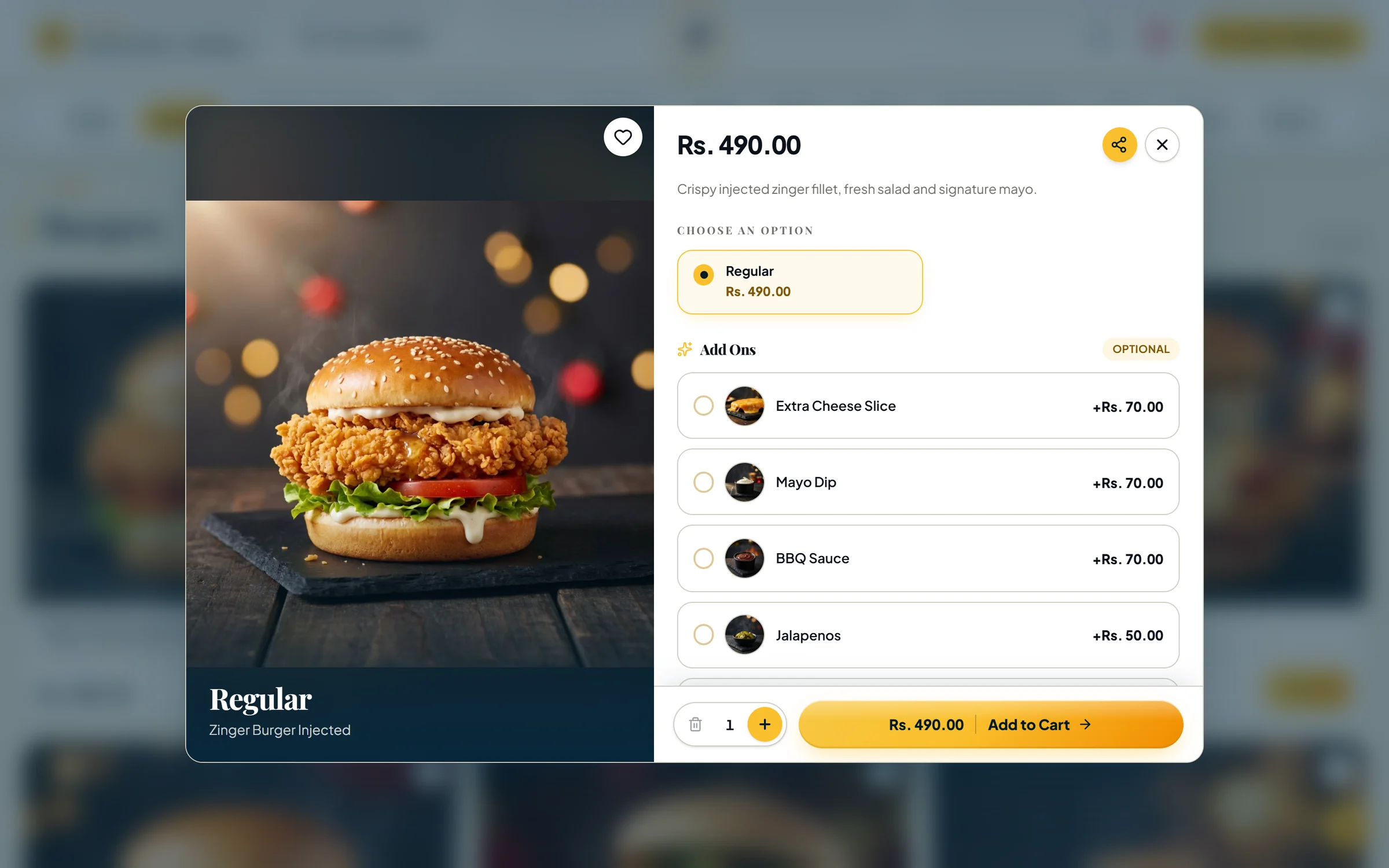
  • Sizes, add-ons and extras in an elegant sheet
  • Totals always recalculated on the server
  • Order history and live tracking for signed-in guests
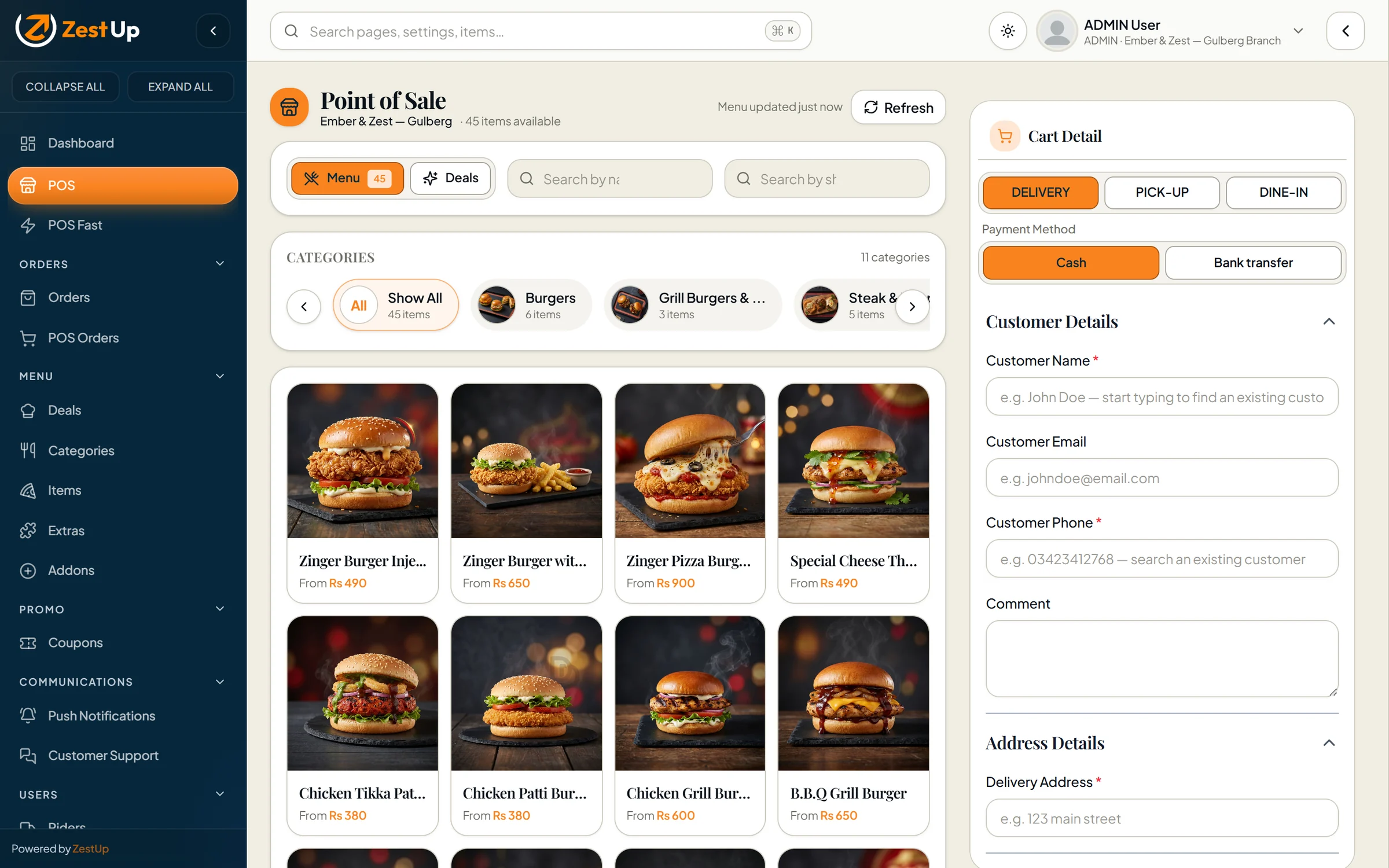
Point-of-sale till with the branch menu, categories and cart details Real screen · demo data
Total Online · Point of sale

A till built for the Friday-night rush.

The point-of-sale screen works from the branch’s live menu: tap items, add the customer’s details, choose cash or bank transfer and send it straight to the kitchen.

  • Delivery, pick-up and dine-in at the counter
  • Guided four-step “POS Fast” mode for new staff
  • Loads the whole branch menu once, so every tap is instant
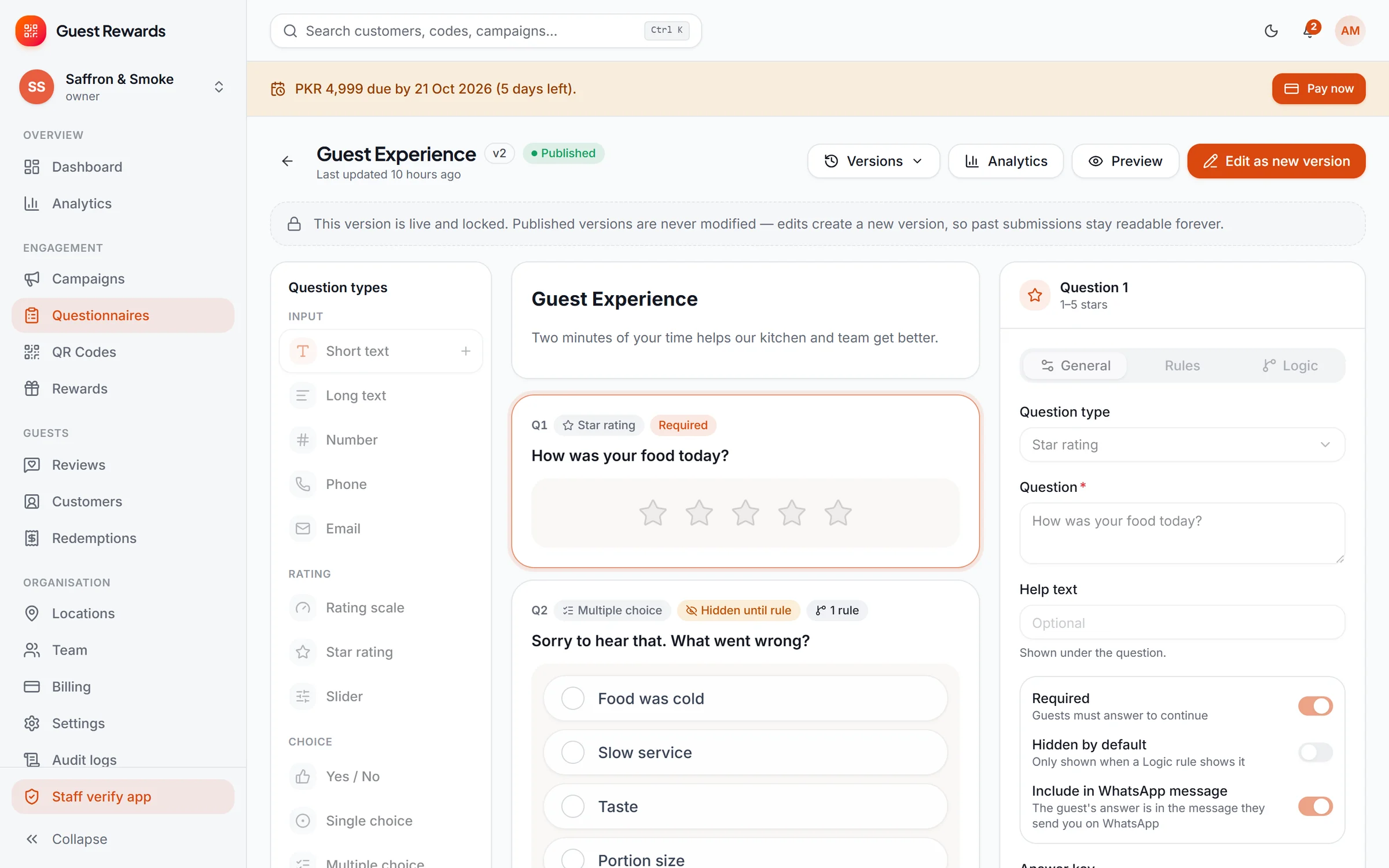
Questionnaire builder with question types, logic rules, versions and properties panel Real screen · demo data
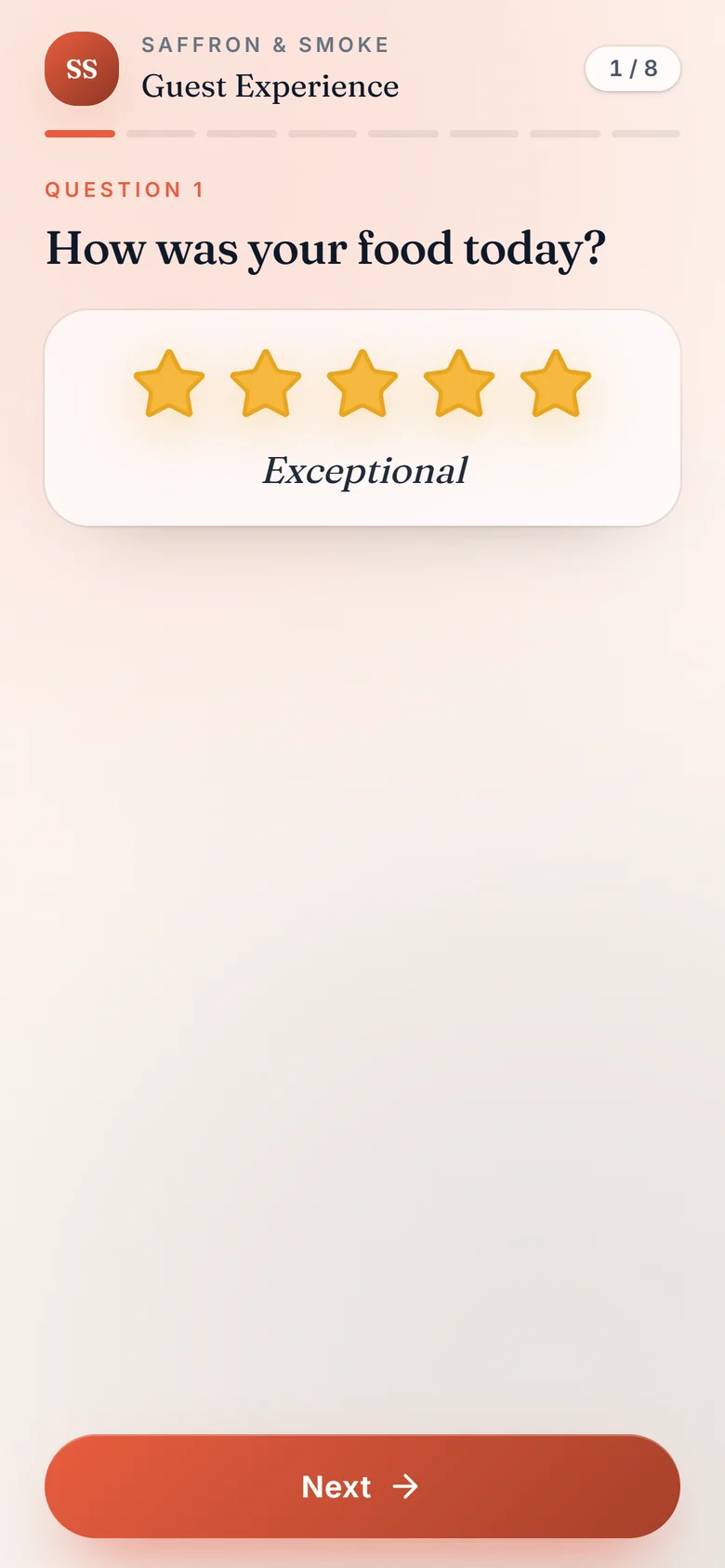
Guest questionnaire — star rating question
QR Reviews · Questionnaires

Questions that adapt to every answer.

Build a questionnaire from 19 question types and add IF/THEN logic — ask “what went wrong?” only when a rating is low. Guests answer on their own phone, with no app to install.

  • Live phone preview while you build
  • Published versions are locked, so old answers stay readable
  • Optional Urdu and voice-note answers
Explore QR Reviews
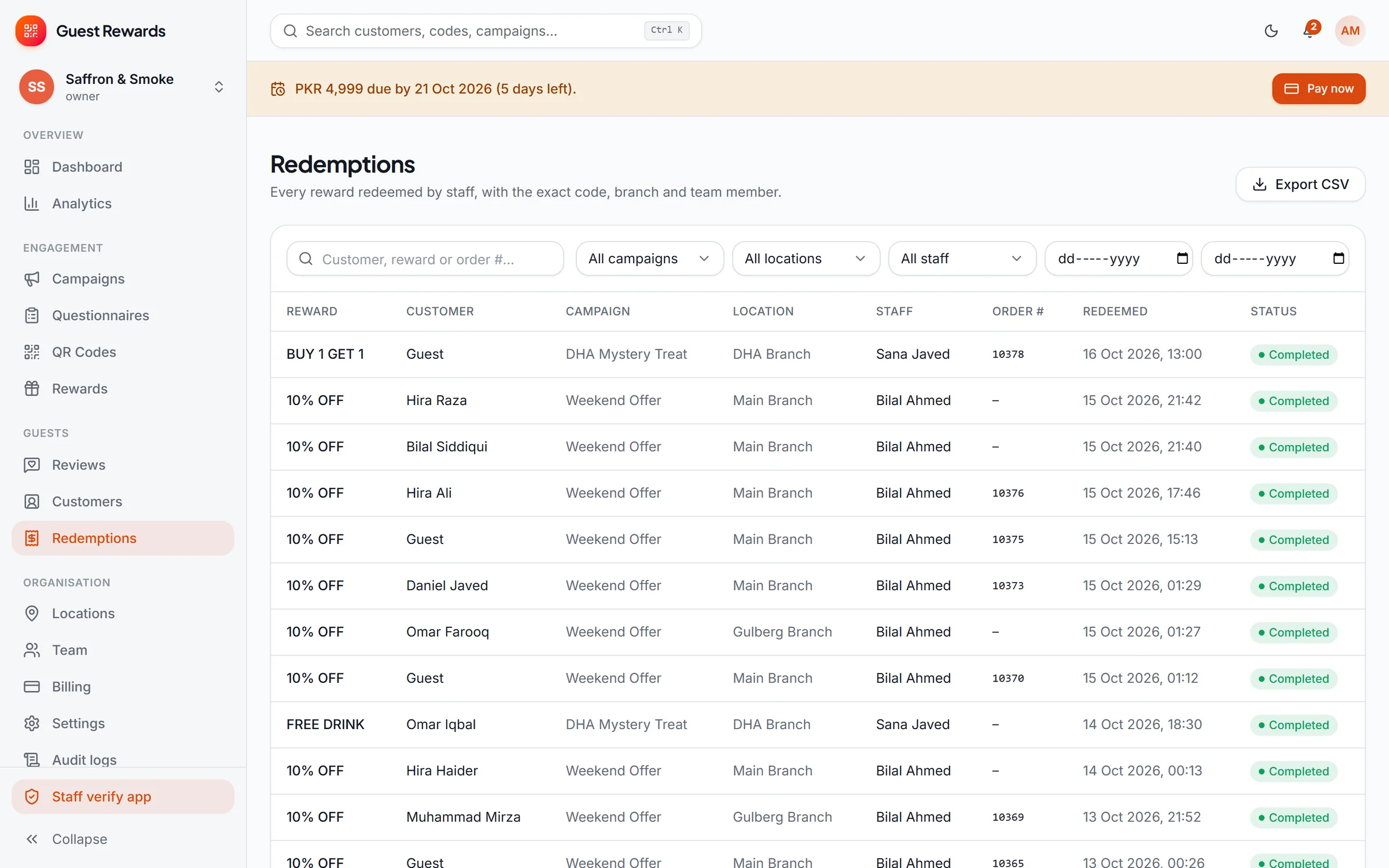
Redemption history with staff, branch and time Real screen · demo data
Reward unlocked with a six-digit one-time code and countdown
QR Reviews · Rewards

A thank-you that is checked at the counter.

Finishing the questionnaire unlocks a reward with a one-time six-digit code. Staff check it in their own app and redeem it once — every redemption is on record with the staff member, location and time.

  • Campaigns with schedules, limits and eligibility rules
  • Each code works once and expires
  • Redemption history for every location
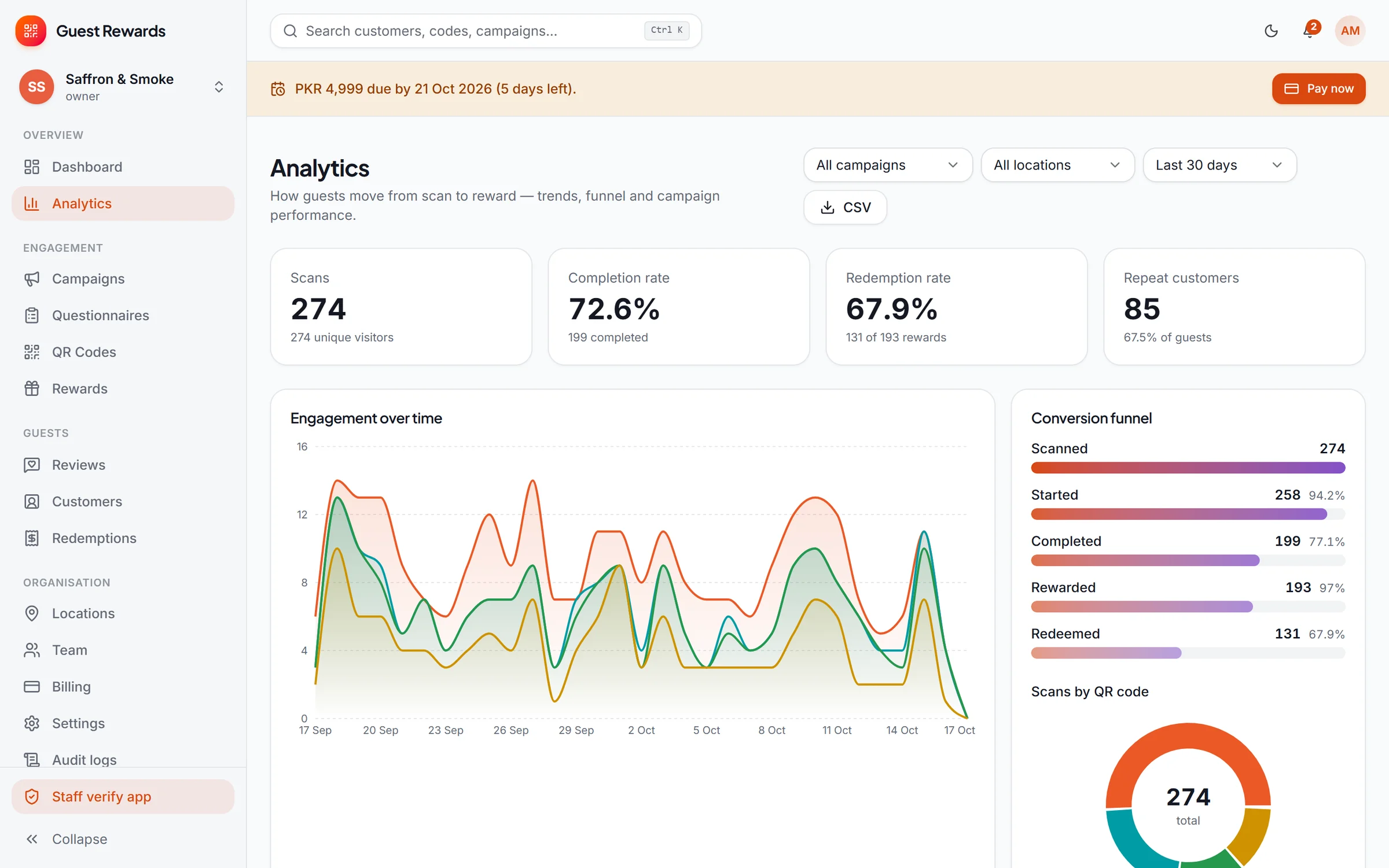
QR Reviews analytics with question-level charts Real screen · demo data
QR Reviews · Insight

Hear what guests really think — and answer them.

Positive, neutral and negative feedback lands in one inbox with each guest’s answers and visit count. Analytics turn every question into a chart, filtered by location and period.

  • One-tap WhatsApp, phone or email follow-up
  • The funnel from scan to redemption
  • Guest segments for repeat visitors
Storefront designs

Five storefront designs. Switch in one click.

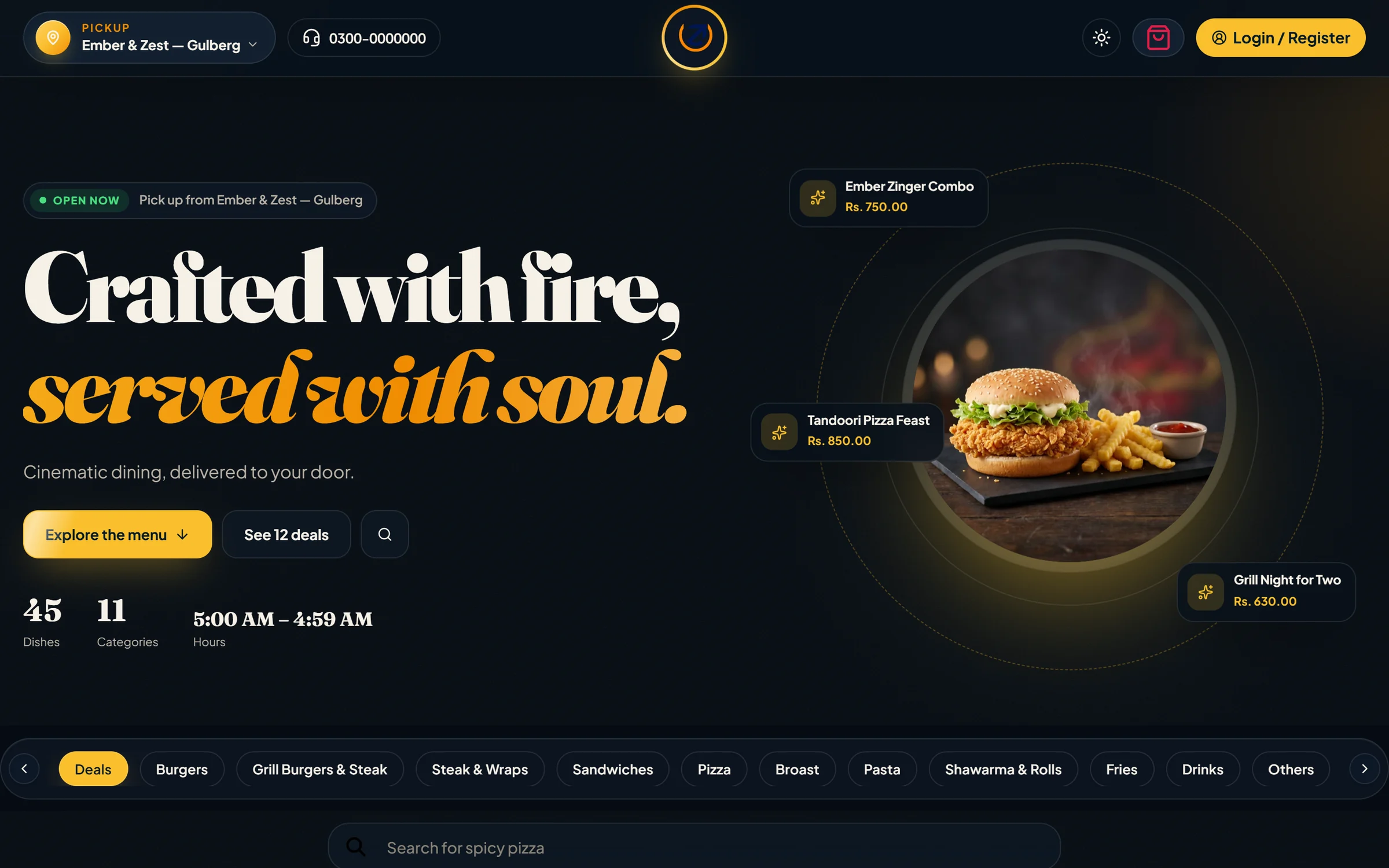
The Total Online storefront comes with five complete designs. Pick the one that fits your brand, preview it on your own website, then make it live — your menu, prices and orders stay exactly as they are.

Storefront in the Classic design — warm cream menu with deal cards Real screen · demo data
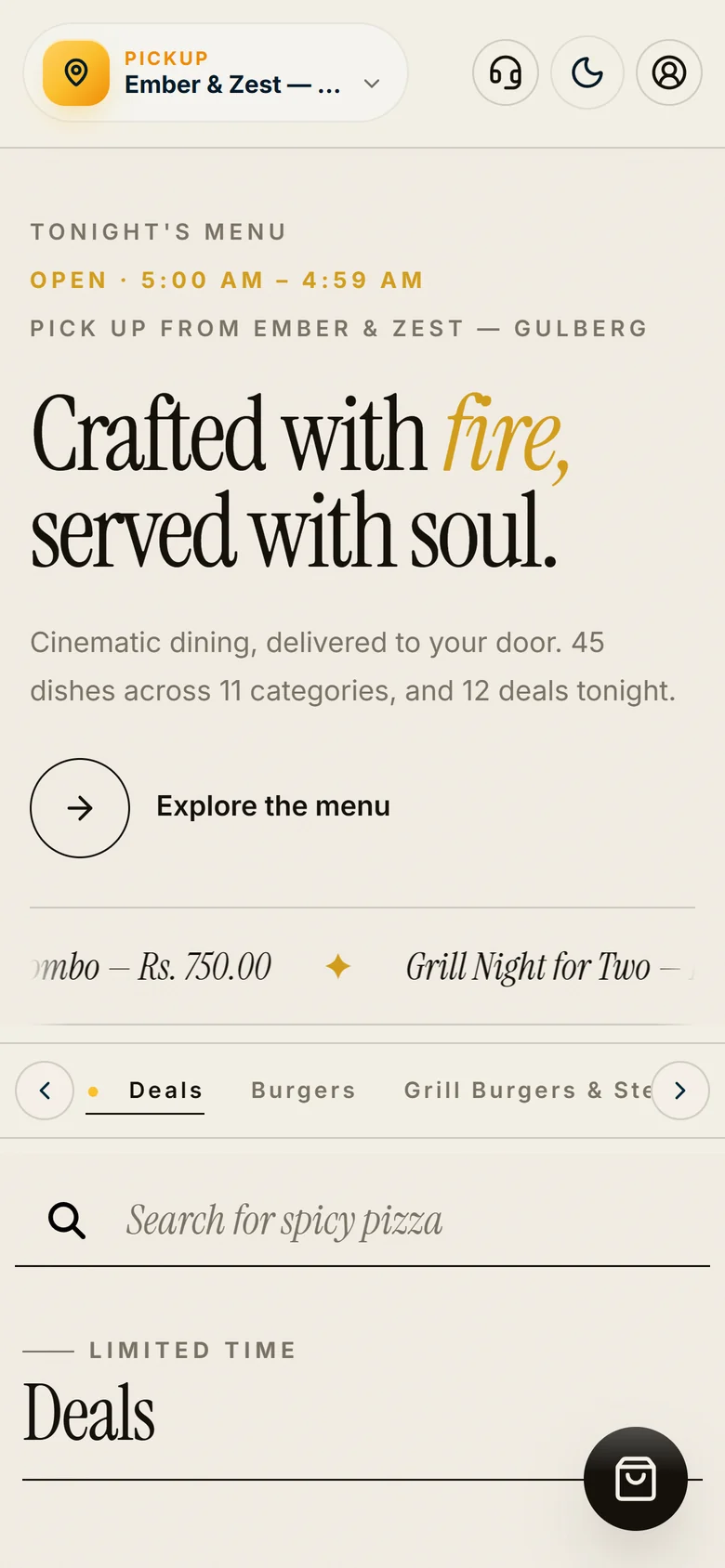
Storefront in the Classic design on a phone

Classic — Warm, clean and photo-first — a familiar menu that suits any restaurant.

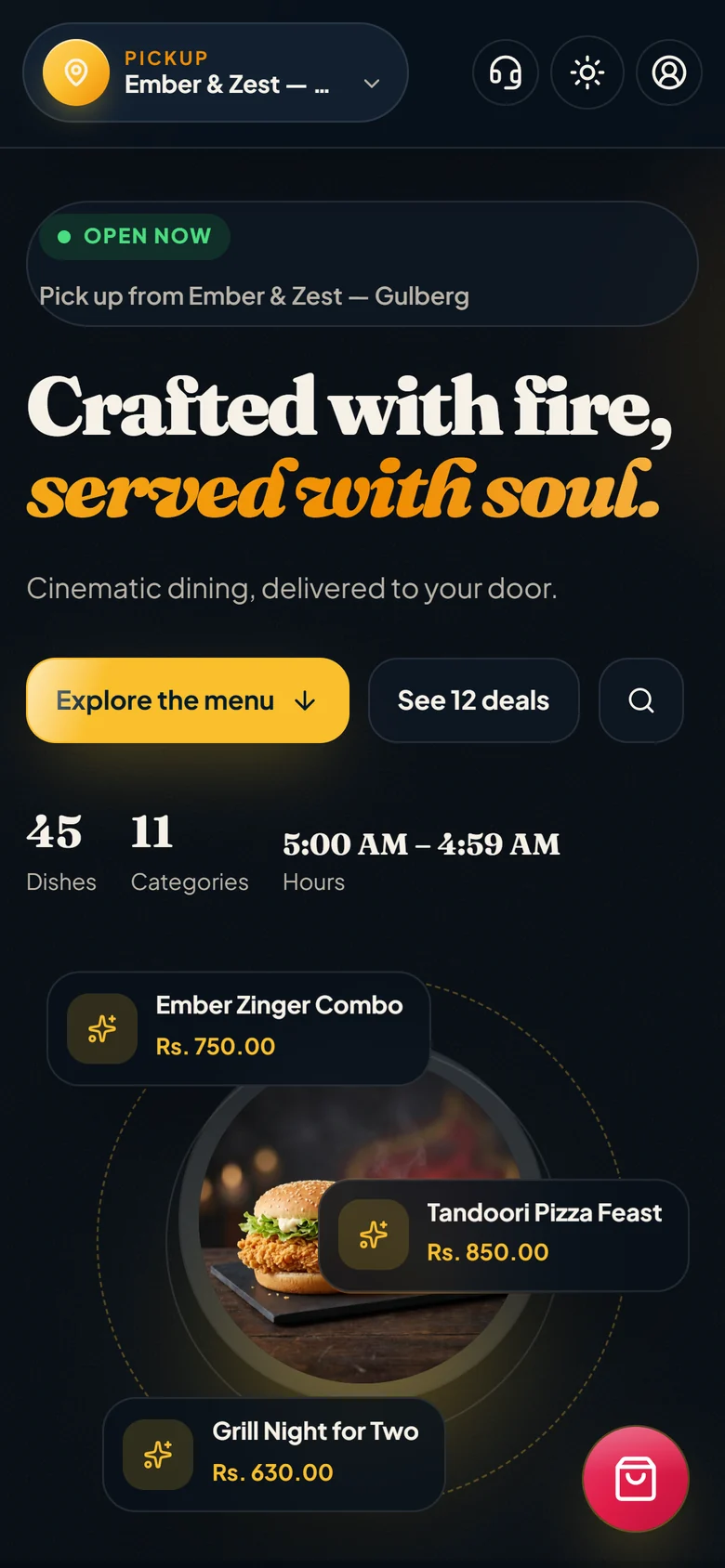
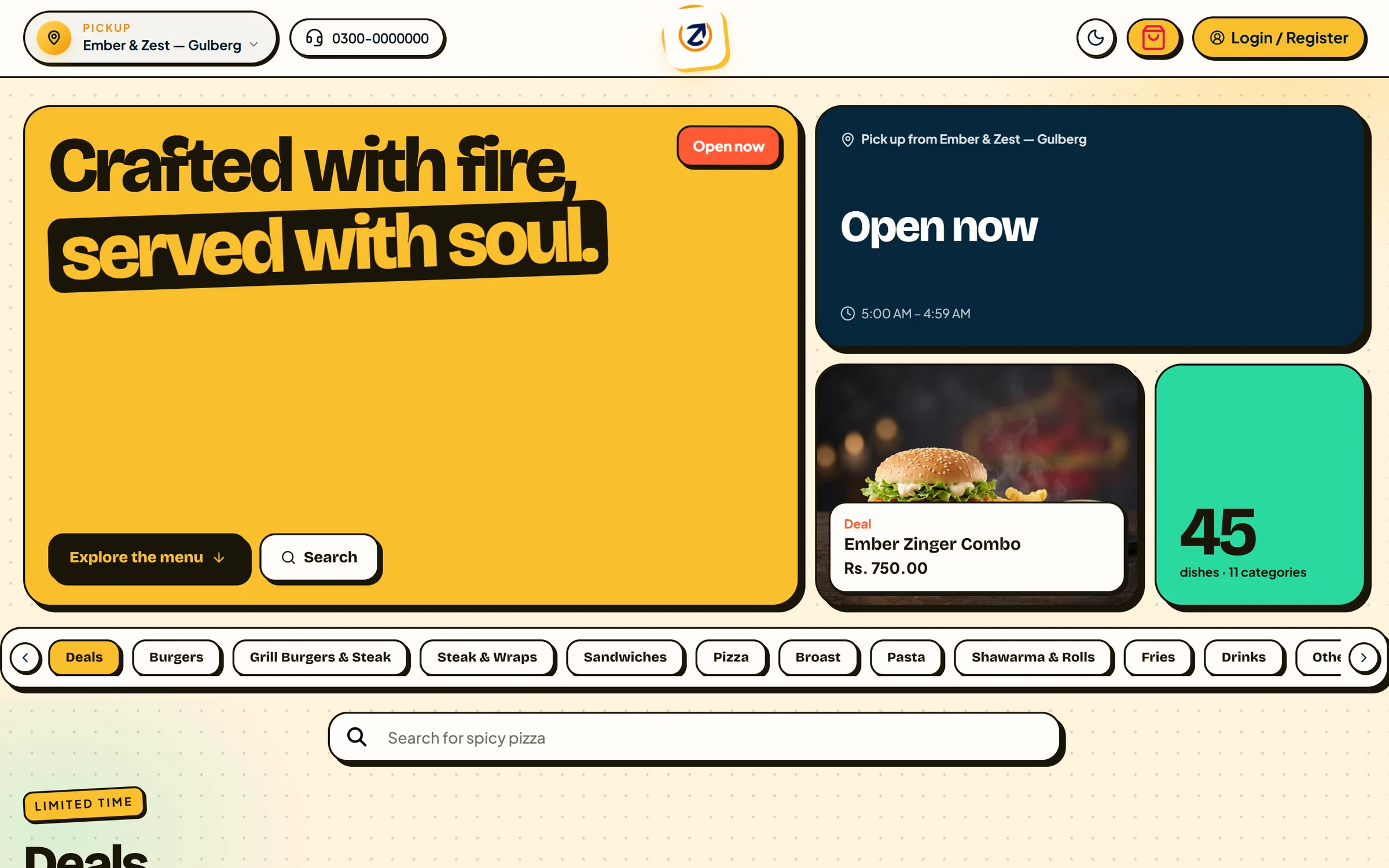
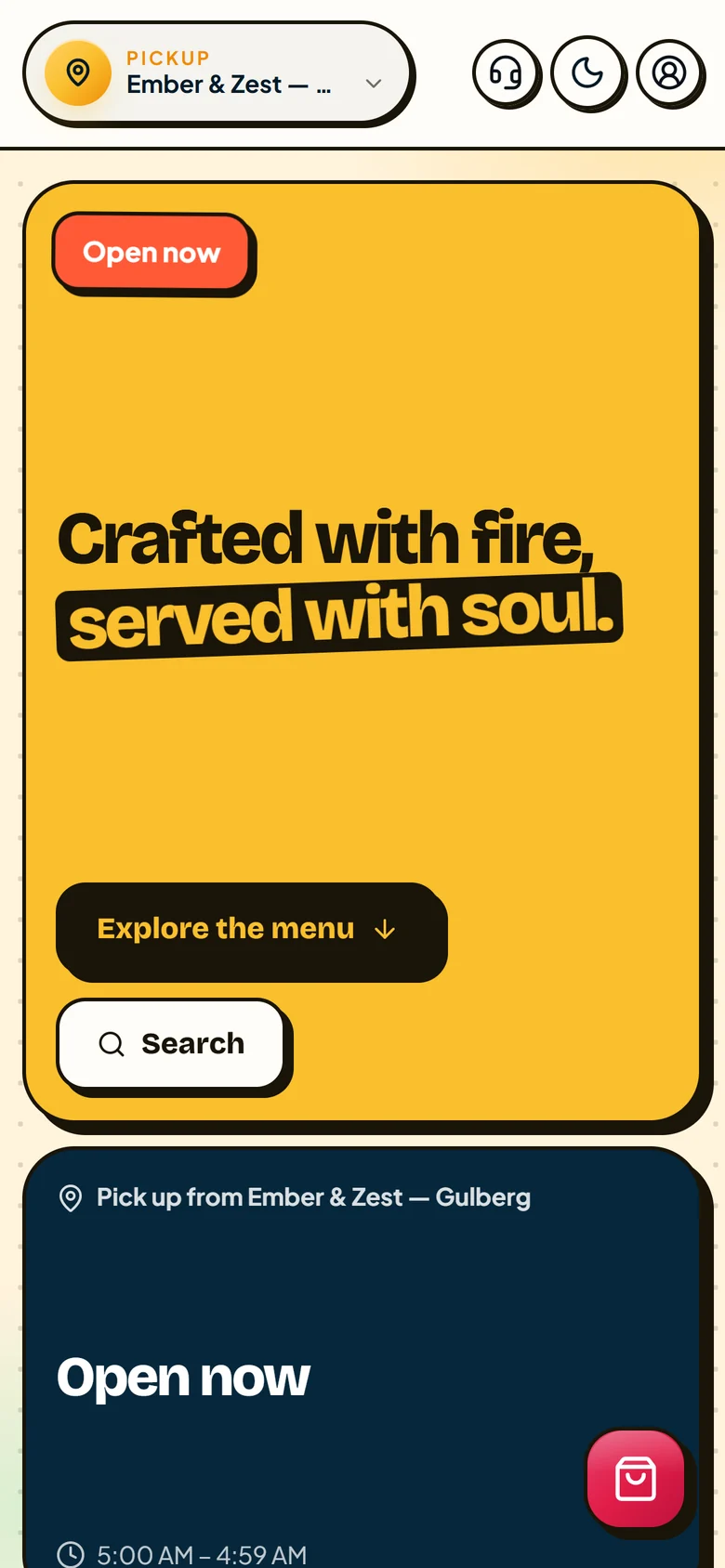
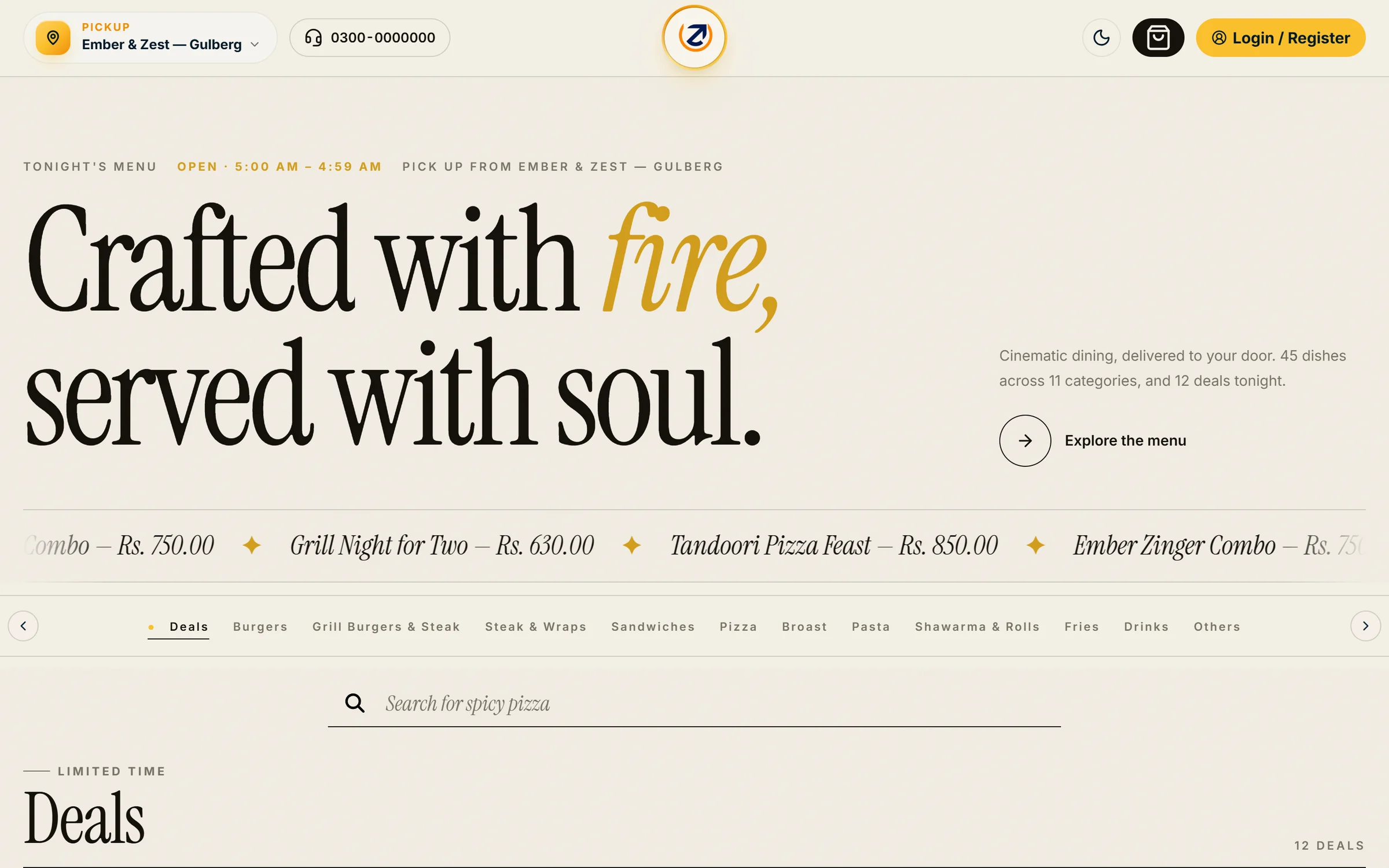
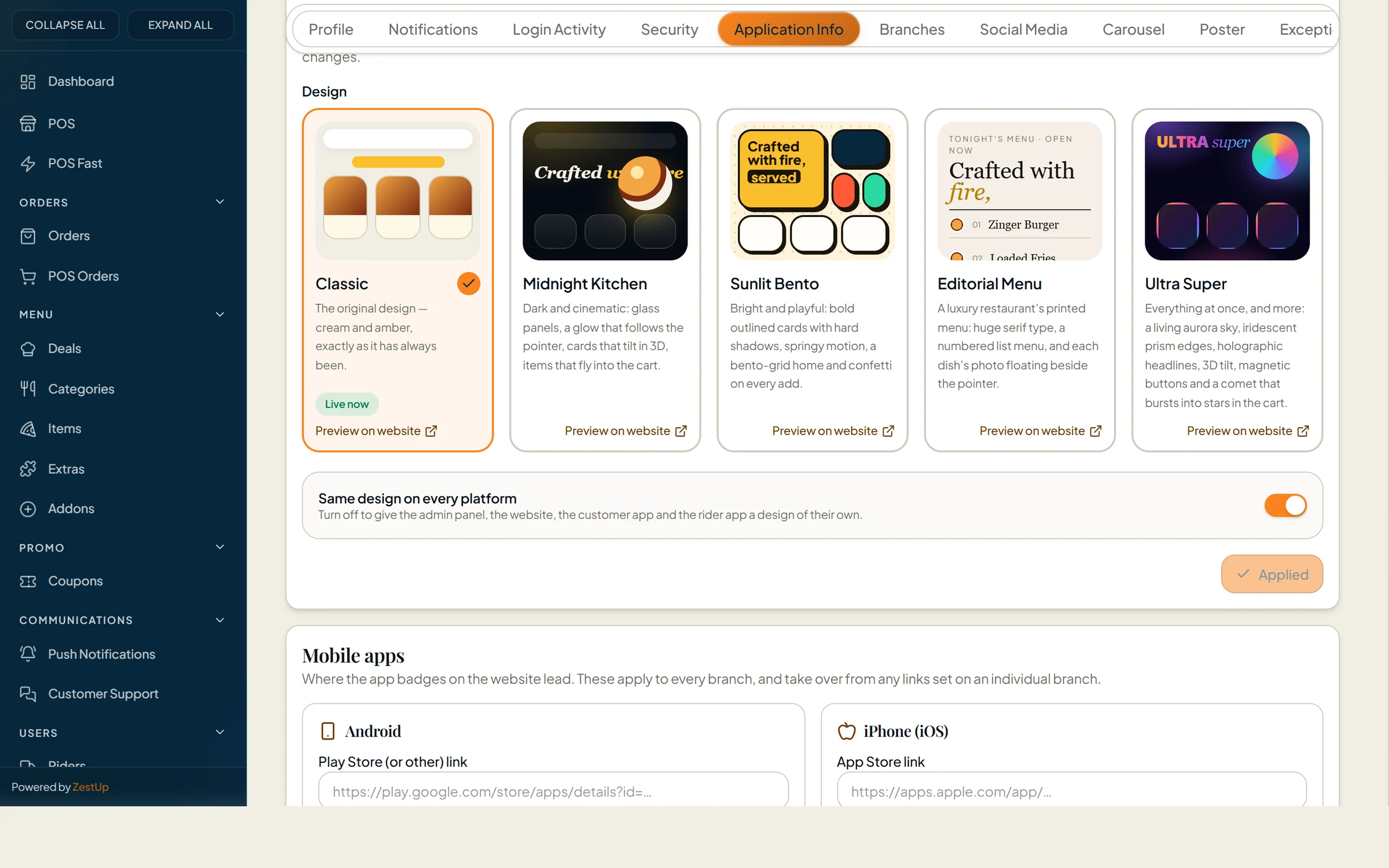
Look and feel settings with five storefront designs: Classic, Midnight Kitchen, Sunlit Bento, Editorial Menu and Ultra Super Real screen · demo data

Chosen from the admin panel

Open Application settings → Look and feel in the Total Online admin, preview any design on your live website, then switch for every guest with one click.

  • Classic
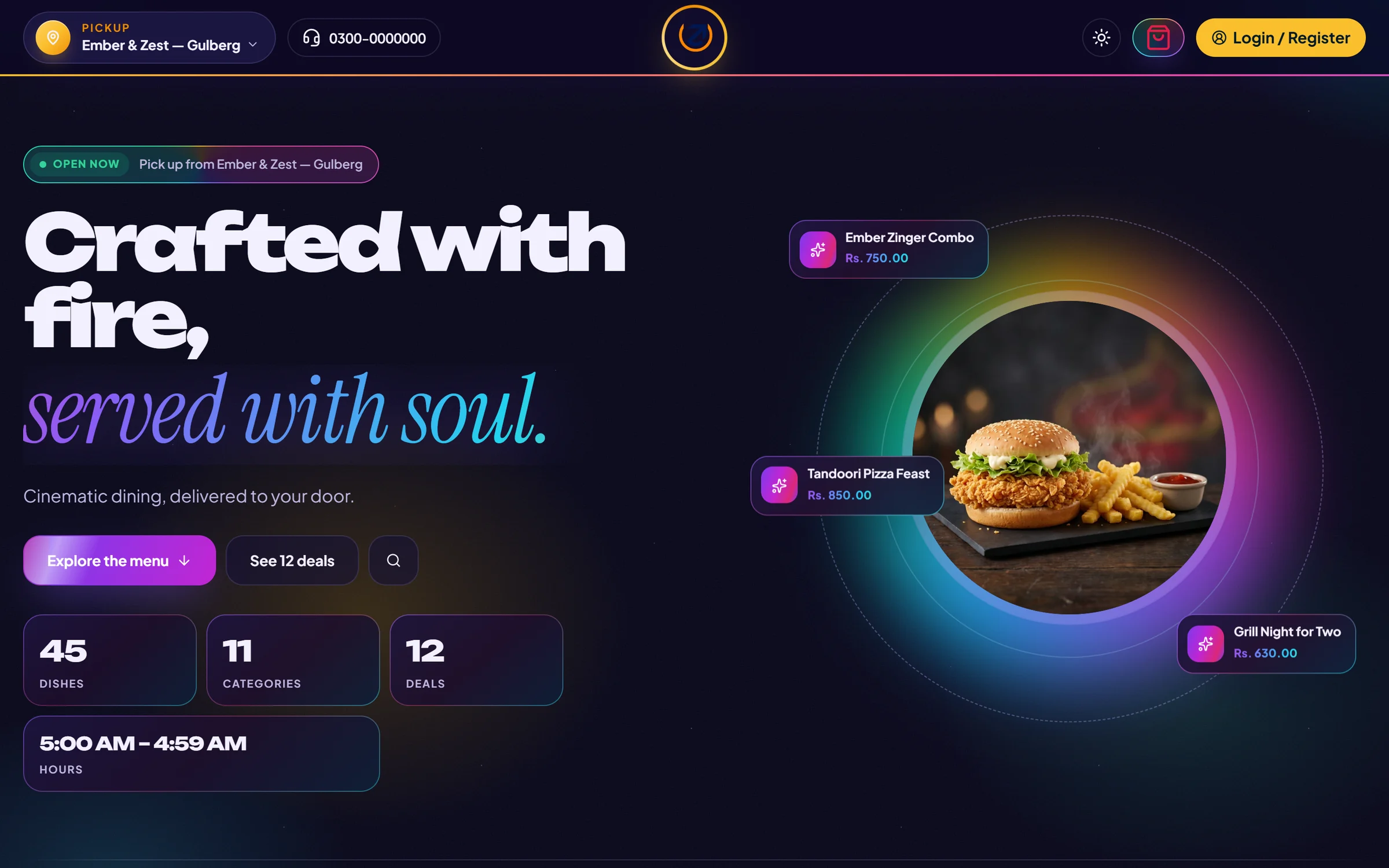
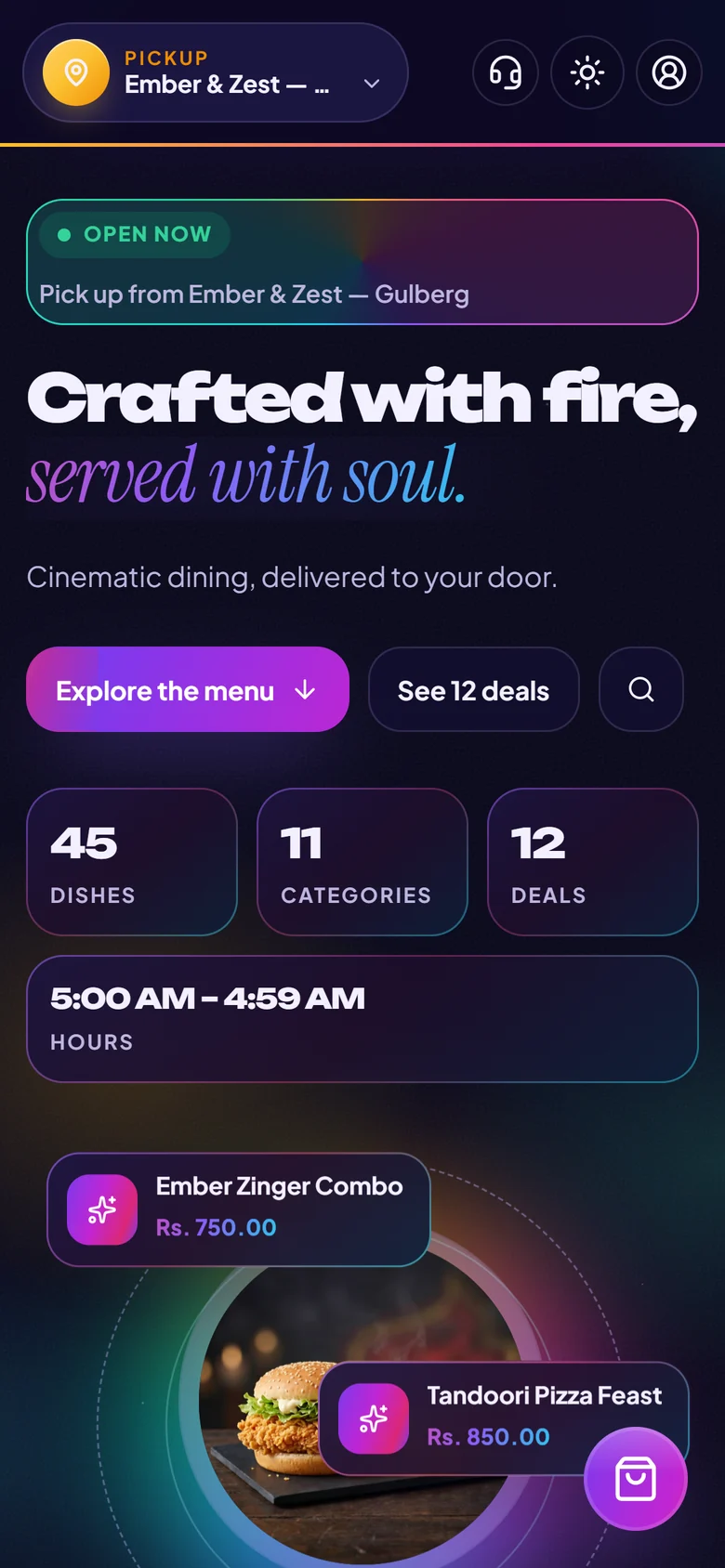
  • Midnight Kitchen
  • Sunlit Bento
  • Editorial Menu
  • Ultra Super
This website has six designs of its own. Try one — it changes only for you.
Total Online System

Everything between “I’m hungry” and “it’s here”.

A storefront your guests enjoy, and a console your team can run a busy service from. Choose a chapter — every image is the live product.

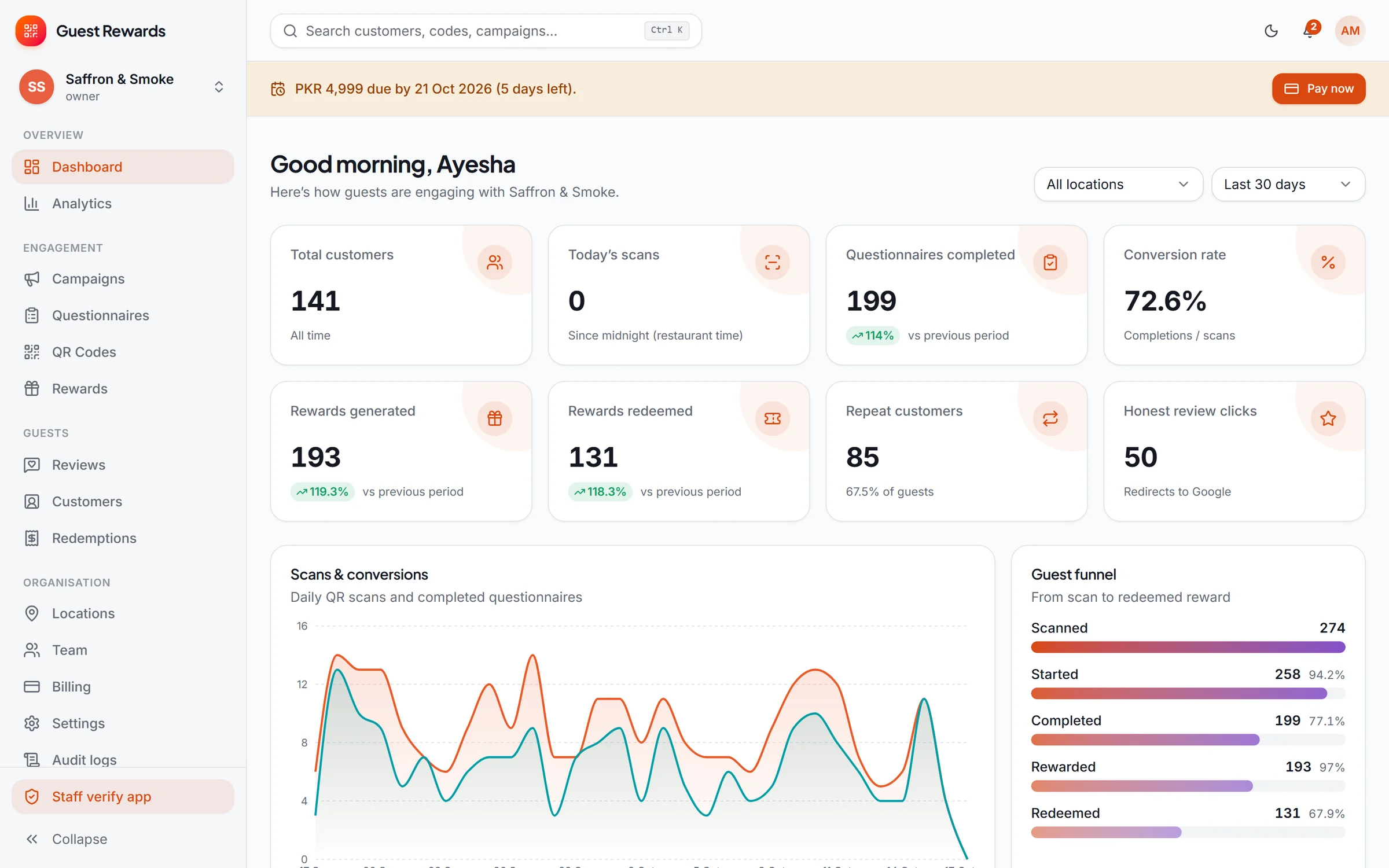
Total Online admin dashboard with sales, average order value, orders, customers and the live order pipeline Real screen · demo data

Total Online admin dashboard with sales, average order value, orders, customers and the live order pipeline

QR Review System

From a scan at the table to a reason to return.

This is the entire guest journey, captured from the real product — nothing staged, nothing mocked up.

  1. Scan & welcome

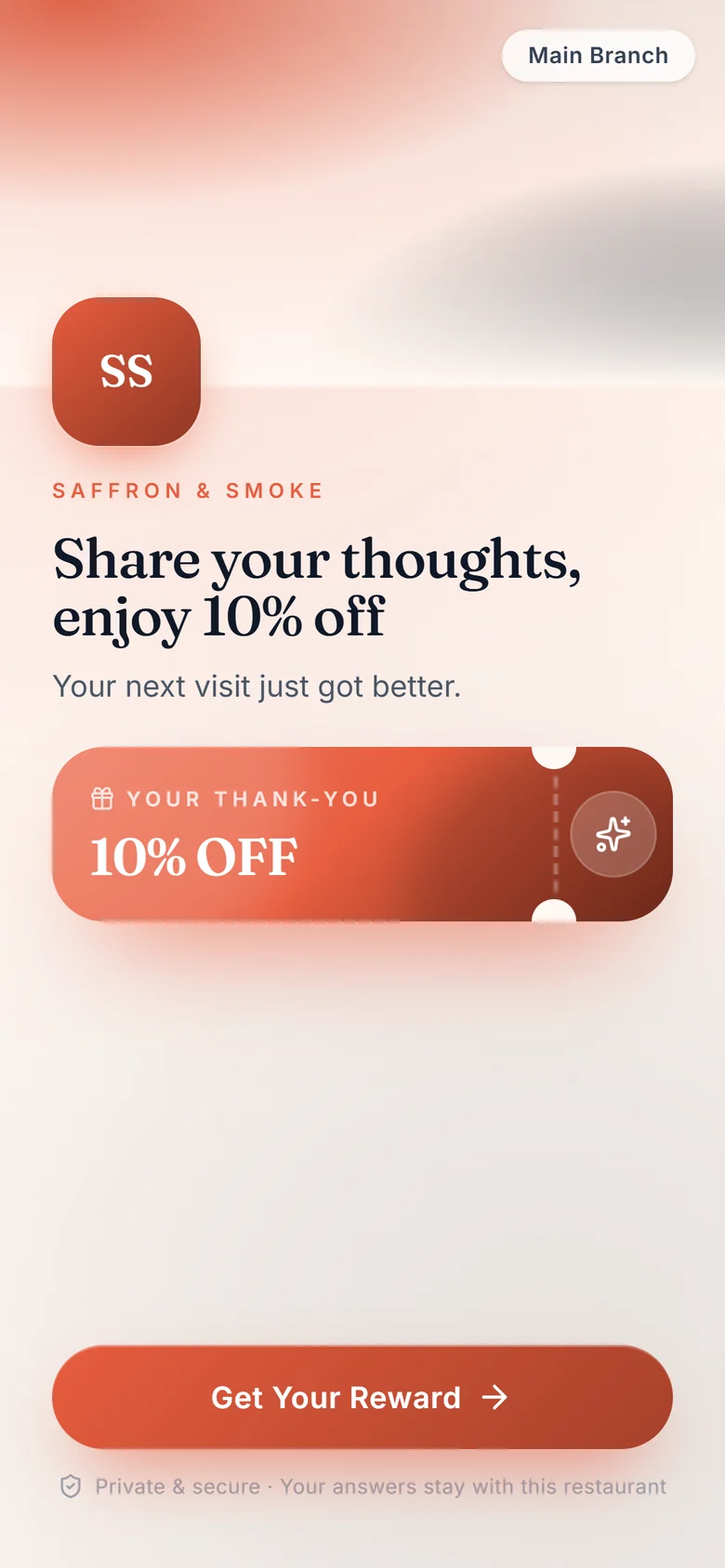
    A QR code on the table opens a branded welcome in the phone’s browser. No app, no sign-up.

    Guest welcome screen after scanning a QR code, offering 10% off for feedback
  2. One question at a time

    Large, friendly controls — stars, choices, sliders — with logic that adapts to each answer.

    Guest questionnaire — star rating question
  3. Measured, not guessed

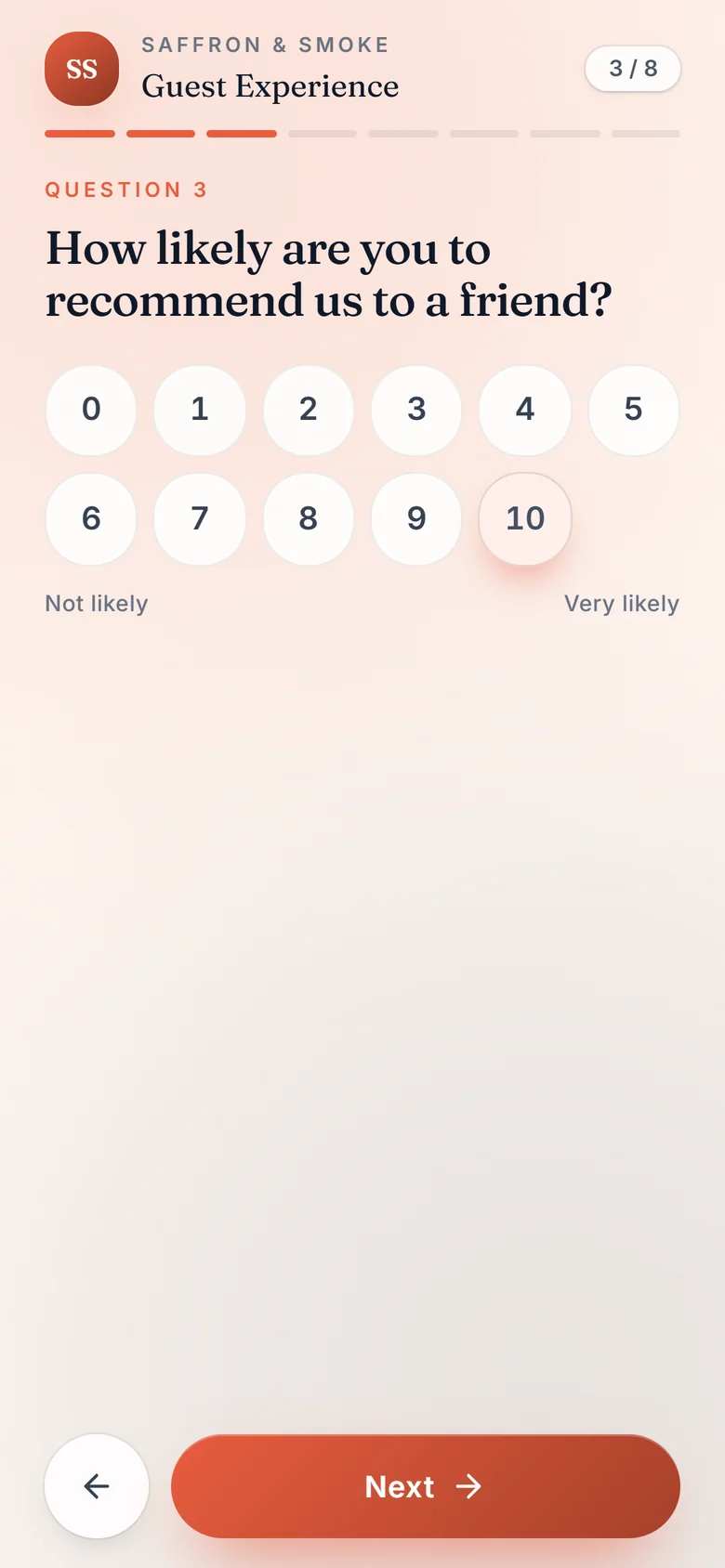
    Recommendation scores and structured choices that roll up into analytics automatically.

    Guest questionnaire — 0 to 10 recommendation question
  4. Consent, clearly

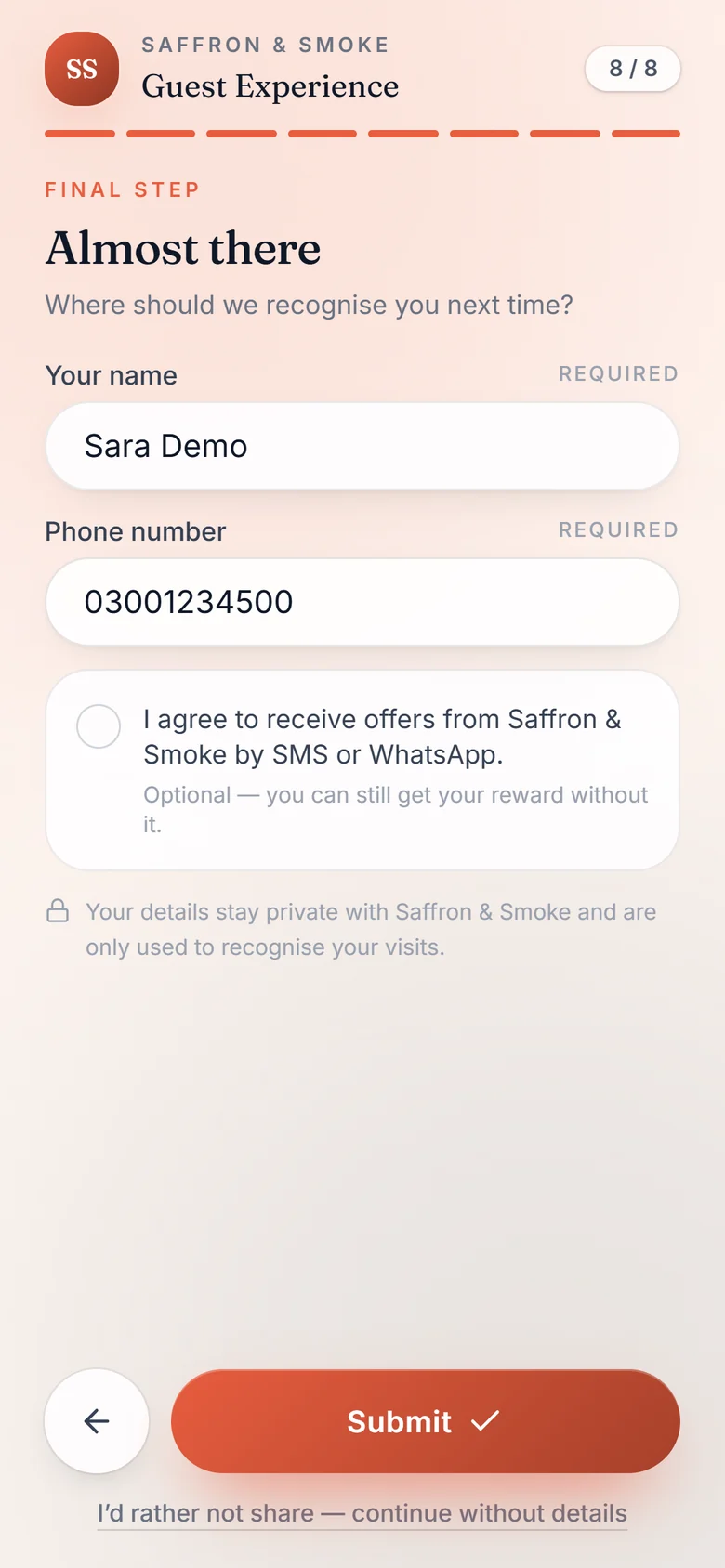
    Name and phone to recognise return visits — and marketing consent only if the guest ticks it.

    Guest contact step with name, phone and optional marketing consent
  5. The reward

    If the campaign rules allow it, a reward unlocks with a one-time six-digit code and a live countdown.

    Reward unlocked with a six-digit one-time code and countdown
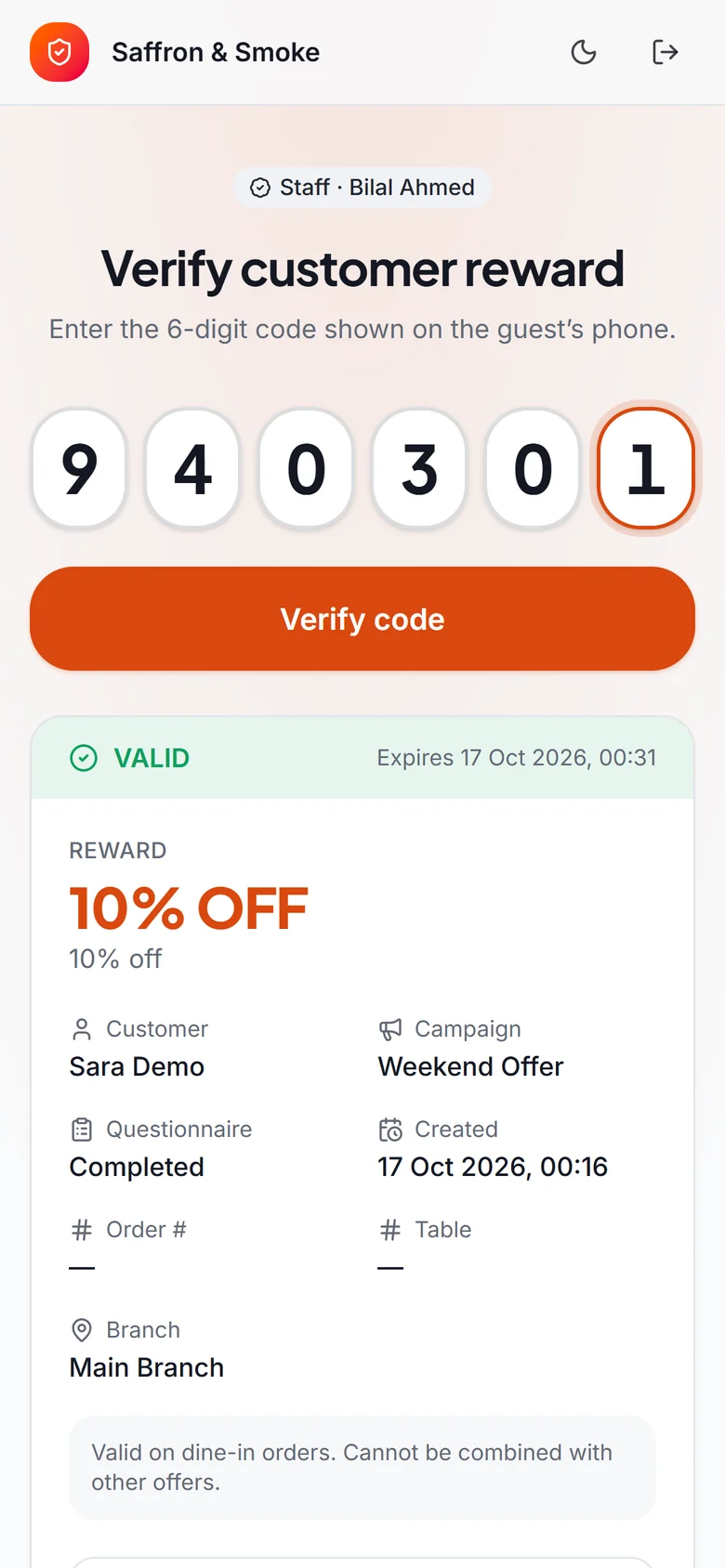
  6. Verified by staff

    Staff enter the code in the verify app, see exactly what was earned, and redeem it once.

    Staff verify app showing a valid reward, the guest and the campaign
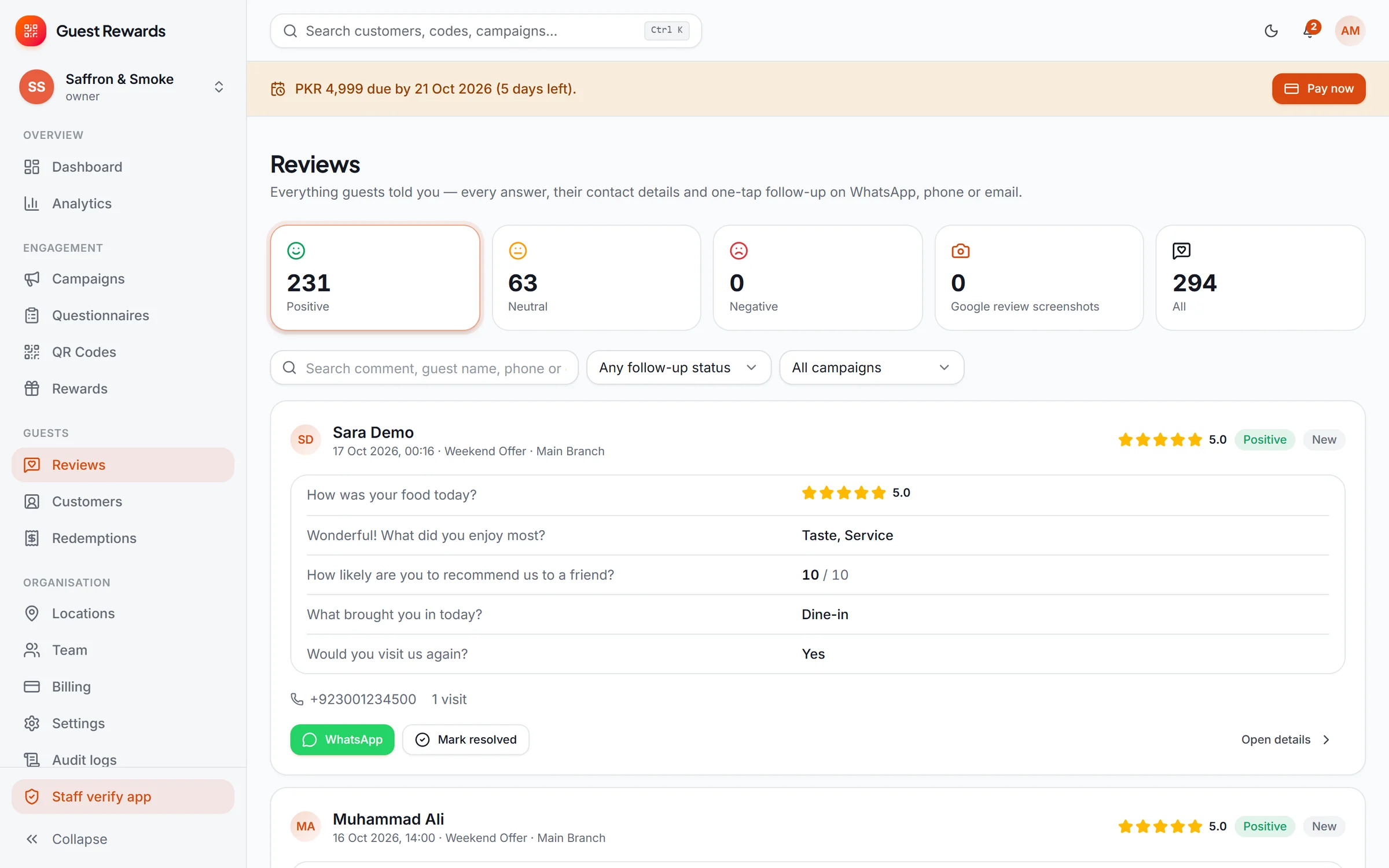
Reviews inbox showing a guest’s answers, rating, phone number and WhatsApp follow-up Real screen · demo data
Behind the counter

Every answer lands in one inbox — with a one-tap way to reply.

Positive, neutral and negative feedback sorted for you, each with the guest’s answers, visit count and a WhatsApp, phone or email shortcut. Mark it resolved and move on.

Under the surface

Engineered for the moments that usually go wrong.

The difference between software that demos well and software you can trust on a Friday night is in details like these.

Total Online

Delivery, pick-up & dine-in

Each order type has its own flow: from pending to delivered, completed or served — with timestamps at every step.

Total Online

Prices the server can vouch for

Totals, tax, delivery and discounts are calculated on the server; a request carrying its own prices is rejected.

What the guest pays is exactly what you priced.

Total Online

Multi-branch

Branch hours, special closures, delivery radius and fees, tax, order numbering and per-branch menu availability.

Total Online

Switchable storefront designs

Classic, Midnight Kitchen, Sunlit Bento, Editorial Menu and Ultra Super — previewed on your site before going live.

QR Reviews

Versions that never rewrite history

A published questionnaire is locked; editing creates a new version, so every past answer stays tied to the exact question it answered.

QR Reviews

One-time codes staff can trust

Six-digit codes from a secure random source, stored only as keyed hashes, with expiry, single use, attempt limits and atomic redemption.

A reward can’t be redeemed twice — even by two tills at once.

QR Reviews

An honest review invitation

After feedback, guests may be invited to leave a public Google review — never as a condition of a reward.

Respects review-platform policies by design.

QR Reviews

23 print-ready table stands

Designs for restaurants, cafés, retail, clinics, salons and gyms at A6, A5 and A4 — 300 dpi PNG or PDF, scan-tested.
How it works

From first call to first order.

Two clear paths — one for each product.

Total Online System

  1. A walkthrough

    We show you the real product with your kind of menu and agree branches, order types and branding.

  2. Your brand, set up

    Your deployment is configured with your name, logo, colours, branches, hours and delivery areas.

  3. Your menu, loaded

    Categories, items, variants, add-ons and deals — with photography — ready on web and app.

  4. Open for orders

    Guests order on your website and apps; your team runs everything from the console and the till.

QR Review System

  1. Your questions

    Pick or build a questionnaire — ratings, choices, NPS, free text, voice notes — with logic.

  2. Your reward rules

    Decide what a completed questionnaire earns, for whom, how often and when.

  3. Codes on tables

    Print QR codes for every table, counter or bag from 23 designs.

  4. Listen & follow up

    Read every answer, follow up on WhatsApp, and watch the trends.

Who it’s for

Made for businesses that serve people in person.

Total Online is purpose-built for food. QR Reviews works anywhere a guest can scan a code.

Restaurants

Delivery, pick-up and dine-in from one console, with a till for walk-ins and feedback at every table.

Both products

Cafés

A fast, photo-led menu for take-away orders, and rewards that bring regulars back.

Both products

Cloud kitchens

Your own storefront and apps instead of only marketplaces, with riders and dispatch built in.

Total Online

Bakeries & dessert shops

Variants, add-ons and deals for boxes and sizes; pick-up orders ready on time.

Total Online

Retail & boutiques

A swing-tag QR stand at the counter collects feedback and rewards the next purchase.

QR Reviews

Salons, clinics & gyms

Purpose-made print designs and a configurable questionnaire for service businesses.

QR Reviews
Pricing

Clear plans, quoted for your business.

Plans and prices on this page are always current. Where a price depends on your branches and set-up, we quote it after a short call.

QR Review System

Monthly

Everything in the QR Review System, billed monthly for each business.

Price on request
Quoted for your branches and set-up · billed monthly.
Locations & QR codes
Agreed per business
  • A guest flow people finish
  • Questionnaire builder
  • Campaigns & eligibility
  • Rewards guests want
  • One-time codes staff can trust
  • Staff verify app
  • Reviews inbox & follow-up
  • Analytics & guest segments
  • 23 print-ready table stands
QR Review System

Lifetime licence

A one-time licence for a business, for owners who prefer not to subscribe.

Price on request
Quoted for your branches and set-up · one-time licence.
Locations & QR codes
Agreed per business
  • A guest flow people finish
  • Questionnaire builder
  • Campaigns & eligibility
  • Rewards guests want
  • One-time codes staff can trust
  • Staff verify app
  • Reviews inbox & follow-up
  • Analytics & guest segments
  • 23 print-ready table stands

Compare plans in detail

Questions

Straight answers.

Including the ones about what the products don’t do.

All questions
What exactly is ZestUp?

ZestUp builds and runs two products. The Total Online System gives a food business its own ordering website, customer and rider apps, point of sale and admin console. The QR Review System collects structured guest feedback through QR codes and rewards guests who complete it. You can use either one on its own.

Can I buy the two products separately?

Yes. They are independent products with separate plans. Many businesses start with one; if you would like both, tell us in your demo request and we will quote them together.

Why do some plans say “Price on request”?

Pricing depends on how many branches and locations you run and how your deployment is set up, so we quote it after a short conversation. Published prices on this page are always the current ones.

Can I pay online on this website?

Not yet. Choose a plan and send a request; we confirm the details with you before anything is billed.

Is the storefront under my own name and domain?

Yes. Each business gets its own deployment with its name, logo, colours and photography, served from its own domain. Customers order directly from you.

Which order types are supported?

Delivery, pick-up and dine-in. Each has its own sequence of statuses — for example, delivery goes from pending to confirmed, preparing, assigned to a rider, out for delivery and delivered.

Which payment methods can customers use?

Cash, and bank transfer with a payment-slip upload that your staff confirm or reject. Online card payments are not part of the current product.

See it for yourself

Thirty minutes. Your menu. The real thing.

Book a private walkthrough of the products you’re interested in. No slides — just the software.